Working with files
Benefit from having all your SQL scripts, CSV files, and project resources organized, synchronized, and accessible within your database workflow.
Attach, organize, and edit any file
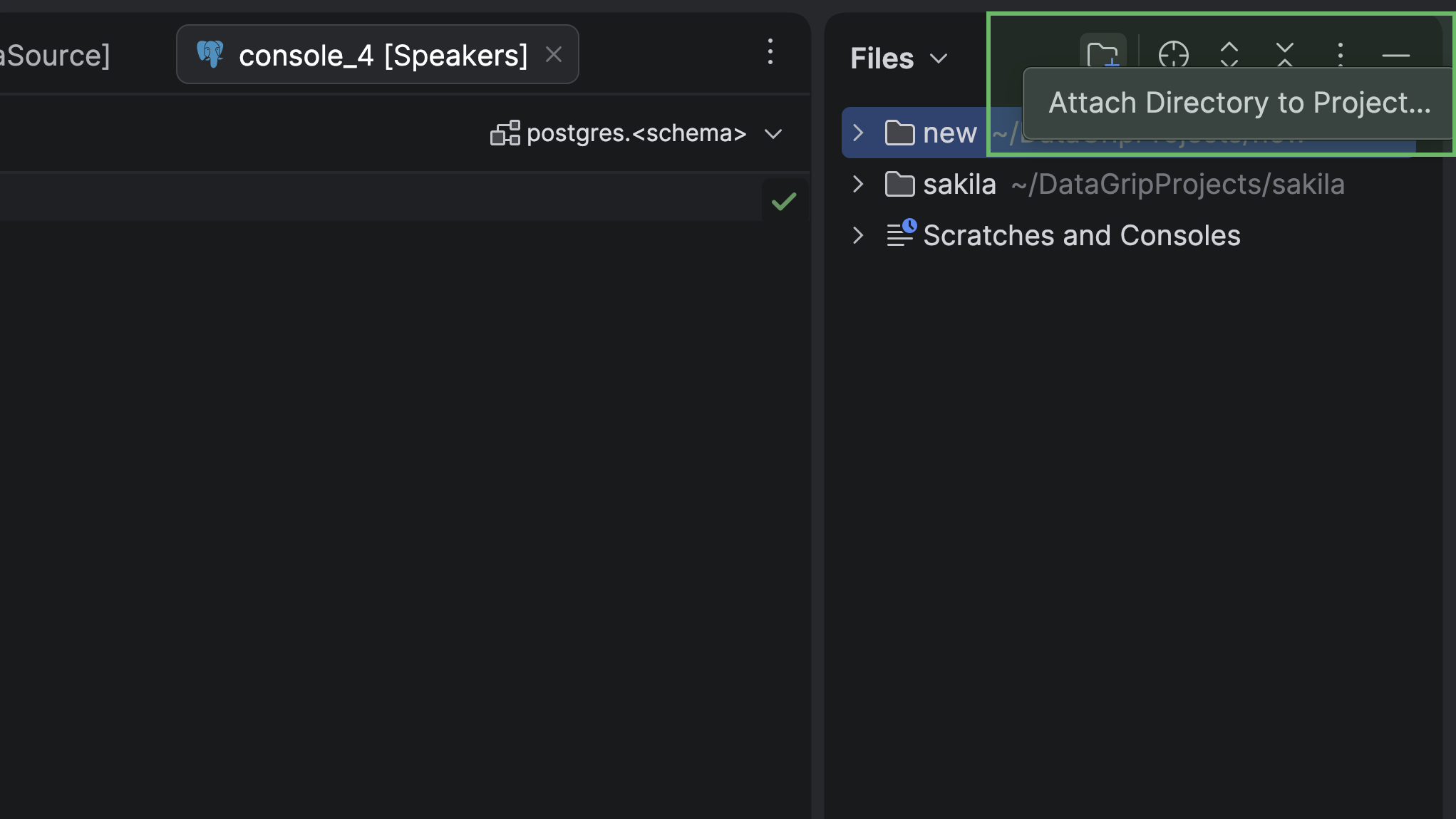
Attach entire folders with your scripts or data files to the Files tool window. Browse, open, and edit files from any directory on your computer – no extra setup required.
Attach directories
Work with files and directories without leaving DataGrip. Add your working directories to the Files tool window and access everything in one place.
Open, edit, and manage files
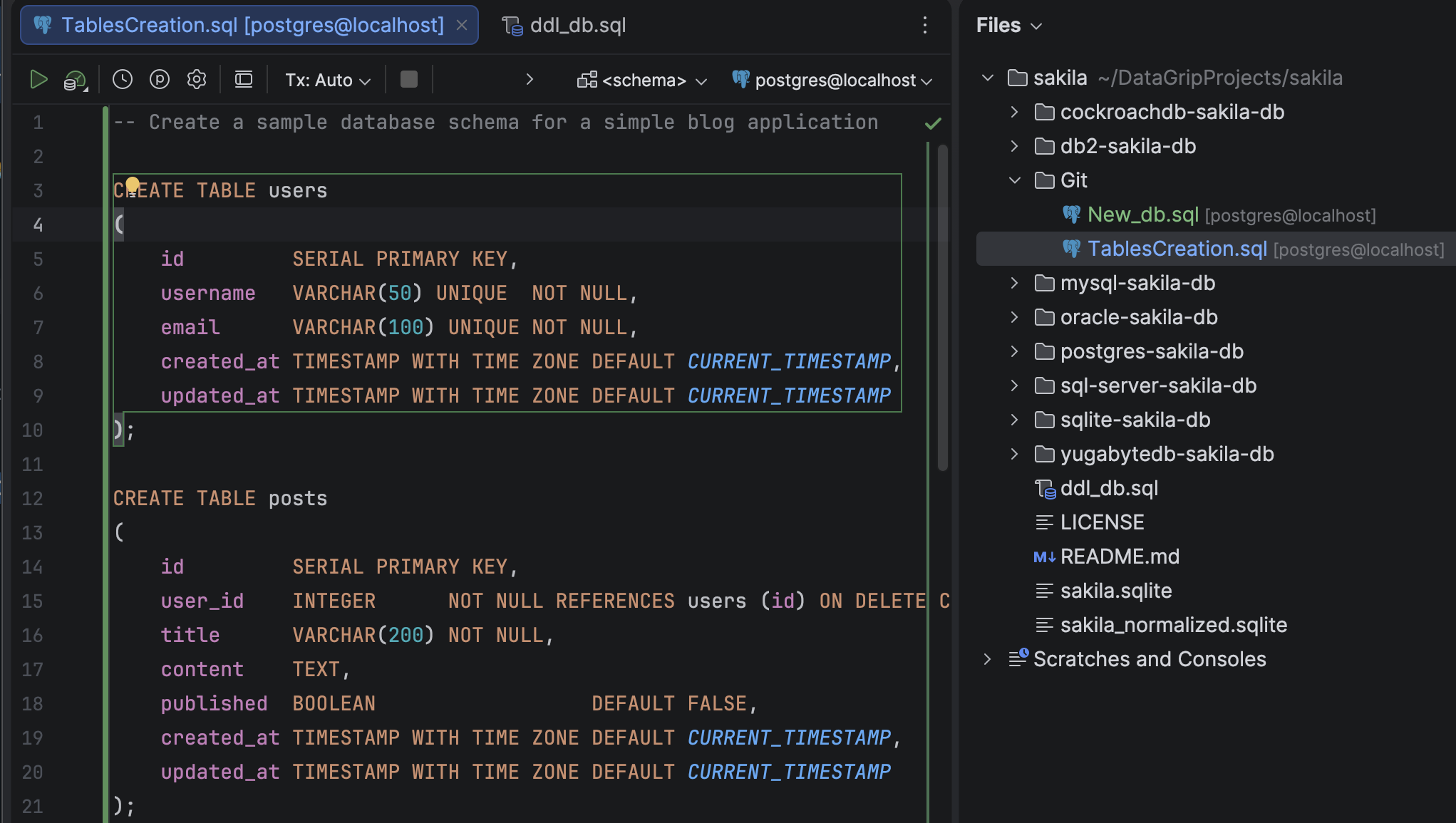
Open, edit, and organize your SQL scripts, CSV datasets, JSON files, and data in other formats – all in a single workspace. Whether you're refining queries, updating data, or preparing files for import, DataGrip keeps every file easily accessible and fully integrated with your database projects.
Collaborate and track changes with Git
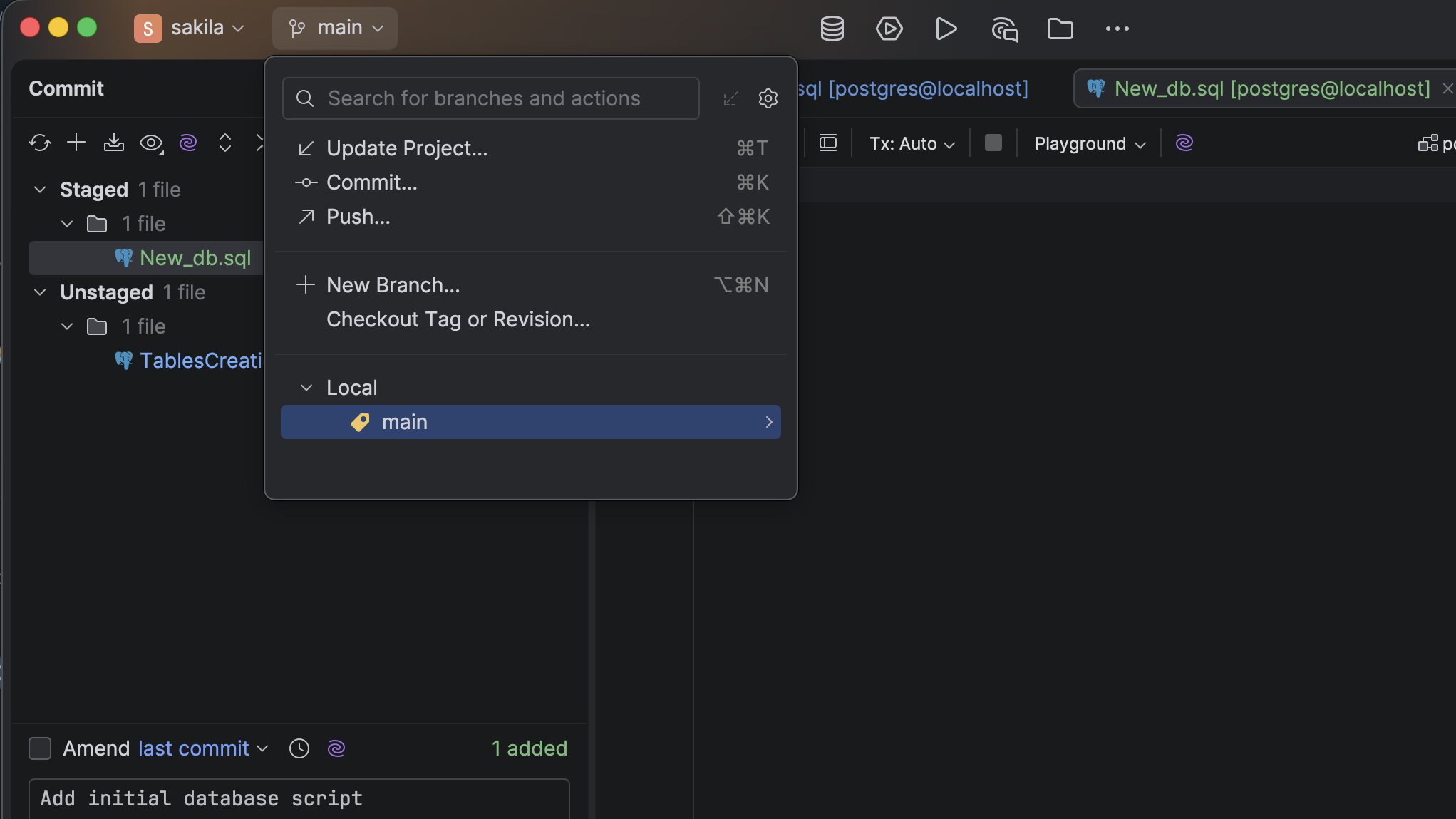
DataGrip supports all major version control systems, including Git, SVN, and Mercurial, making it easy to share your work and collaborate.
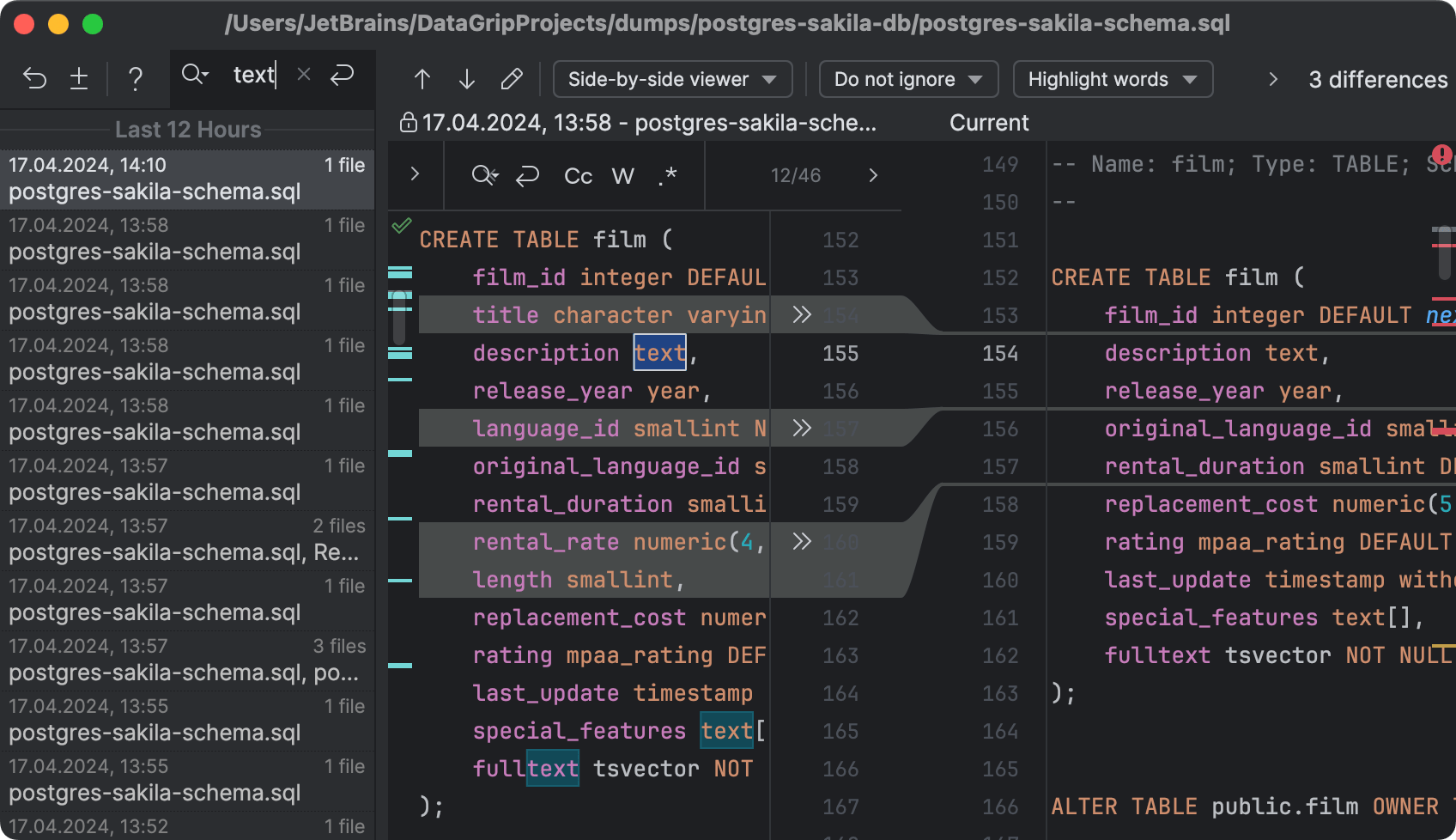
Never lose your work
DataGrip automatically saves changes and keeps a complete edit history for every file and folder. Restore previous versions, recover deleted files, or roll back unwanted changes at any time with the Local History feature.
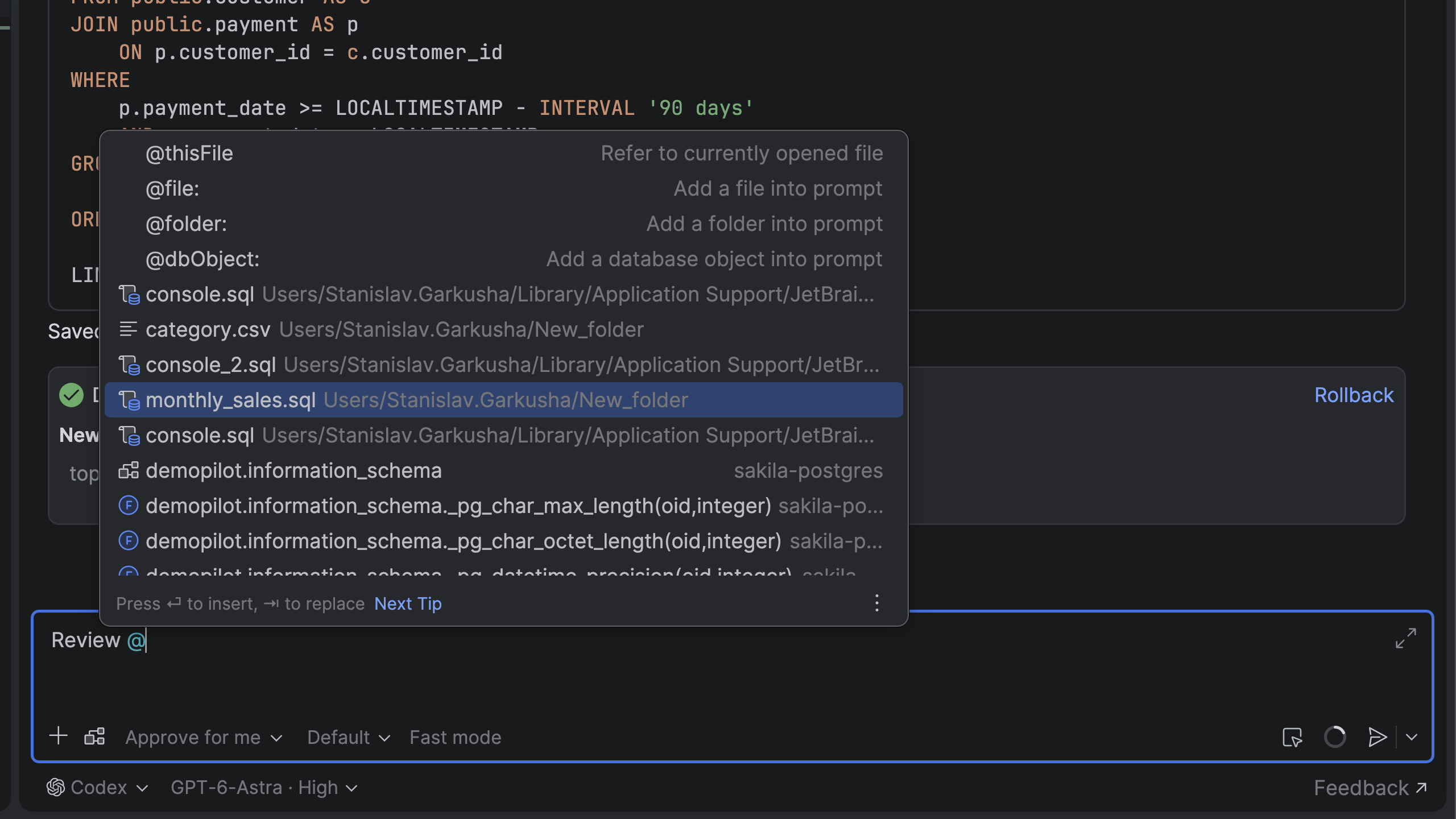
Mentioning files for AI agents
Type @ followed by a file name to seamlessly attach local scripts, queries, or raw datasets directly to your conversational prompt.
Import and export data
Drag and drop CSV, Excel, or JSON files directly into your database schema to import them quickly. You can also edit CSV data inline, export tables or query results to multiple formats, and keep your scripts and data perfectly synced.
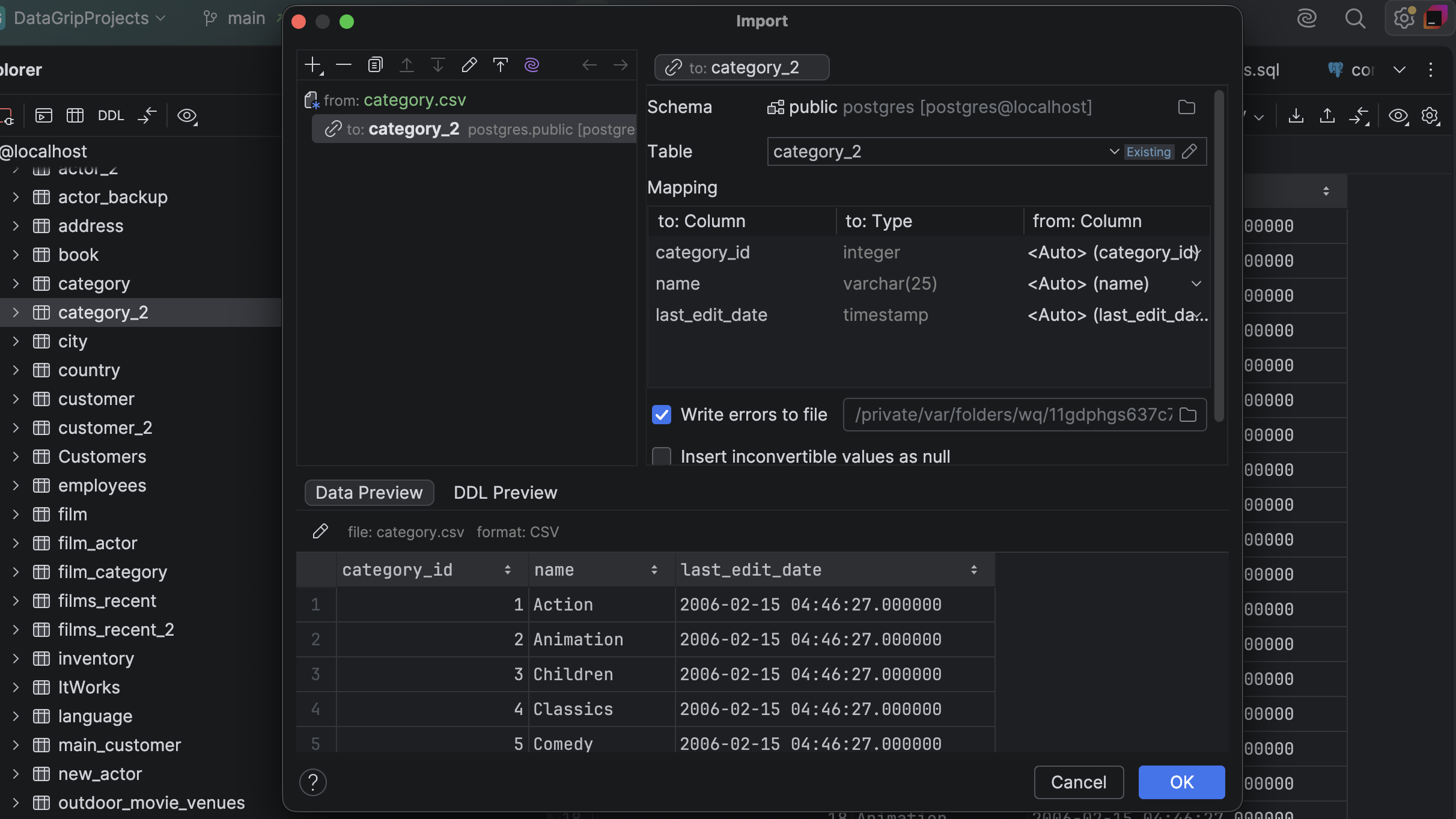
Import data
Quickly import CSV, TSV, JSON, and other file formats into your database. Customize formats, map columns, and preview your data before importing. If errors occur, they're recorded for review so the import can continue without interruption.
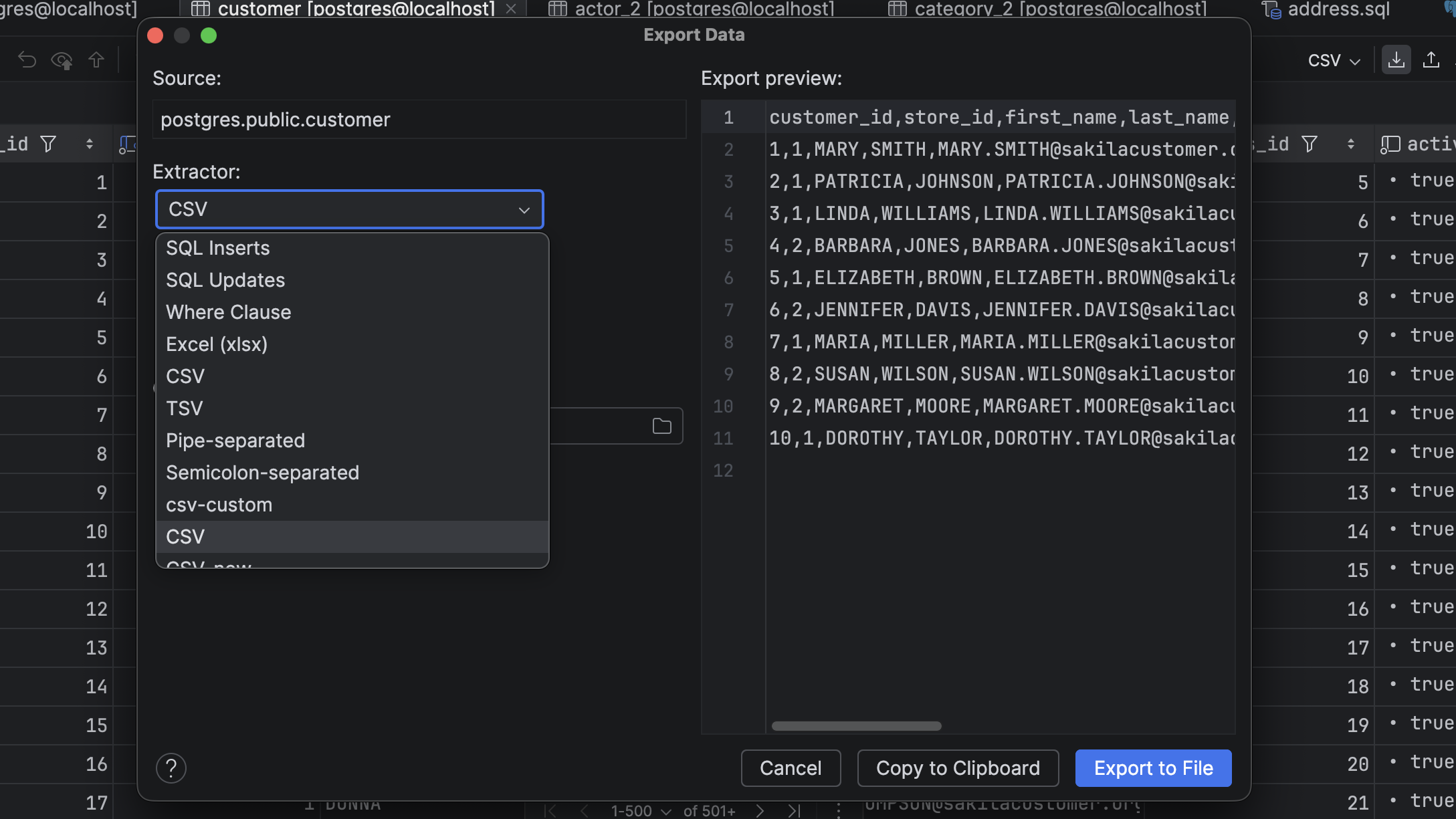
Export data
In addition to importing from script files, CSV, TSV, or any text files with delimiter-separated values, you can export data in the format of your choice, including Excel, CSV, JSON, HTML, Markdown, and others. You can even define custom export formats!
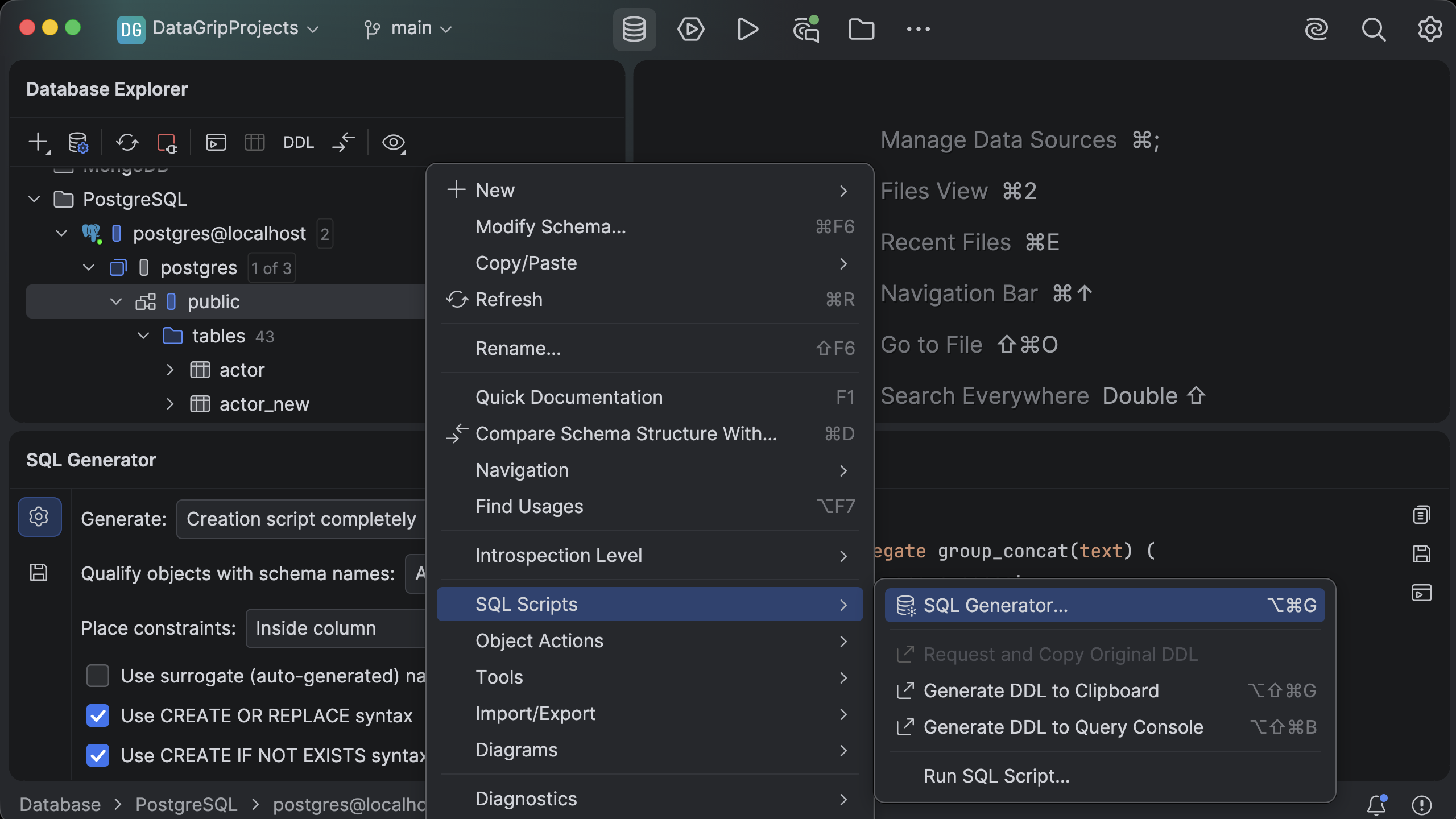
DDL statement for any object
SQL Generator creates DDL scripts for database objects and schemas from the Database Explorer. Use the generator to adjust script settings, preview the output, and then copy, save, or open the script in a query console.
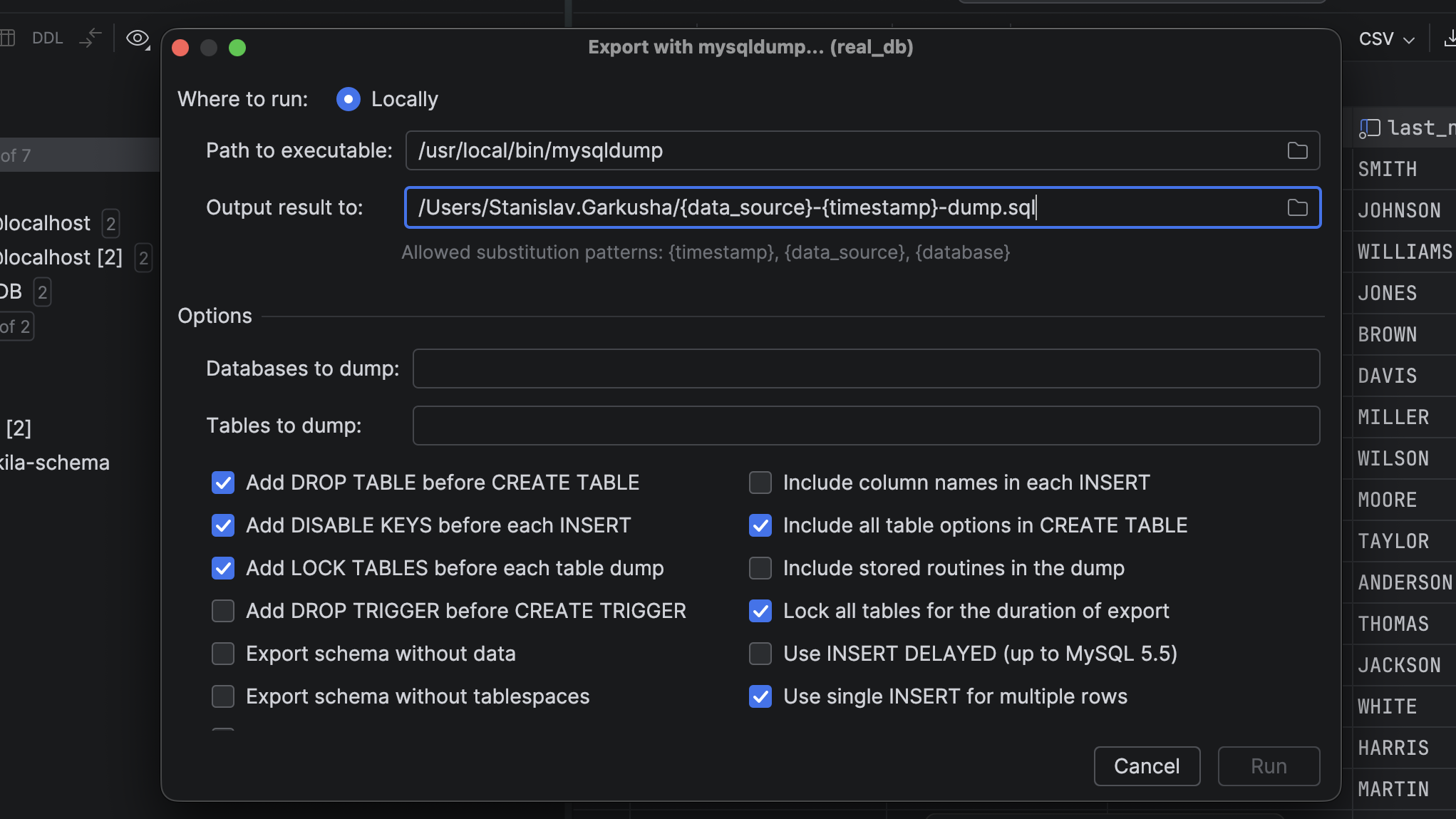
Dump and restore databases from the IDE
DataGrip integrates with mysqldump, pg_dump, and psql, so you can dump and restore MySQL and PostgreSQL objects directly from the context menu.
