Working with data
Edit, search, import, and export data efficiently.

Leverage advanced data analysis
Browse, filter, and explore your data without writing a single line of code. Get aggregated results for any selection, including the average, median, and sum. Create your own aggregations. Visualize results as bar, line, and pie charts, or plot spatial data on a built-in map.
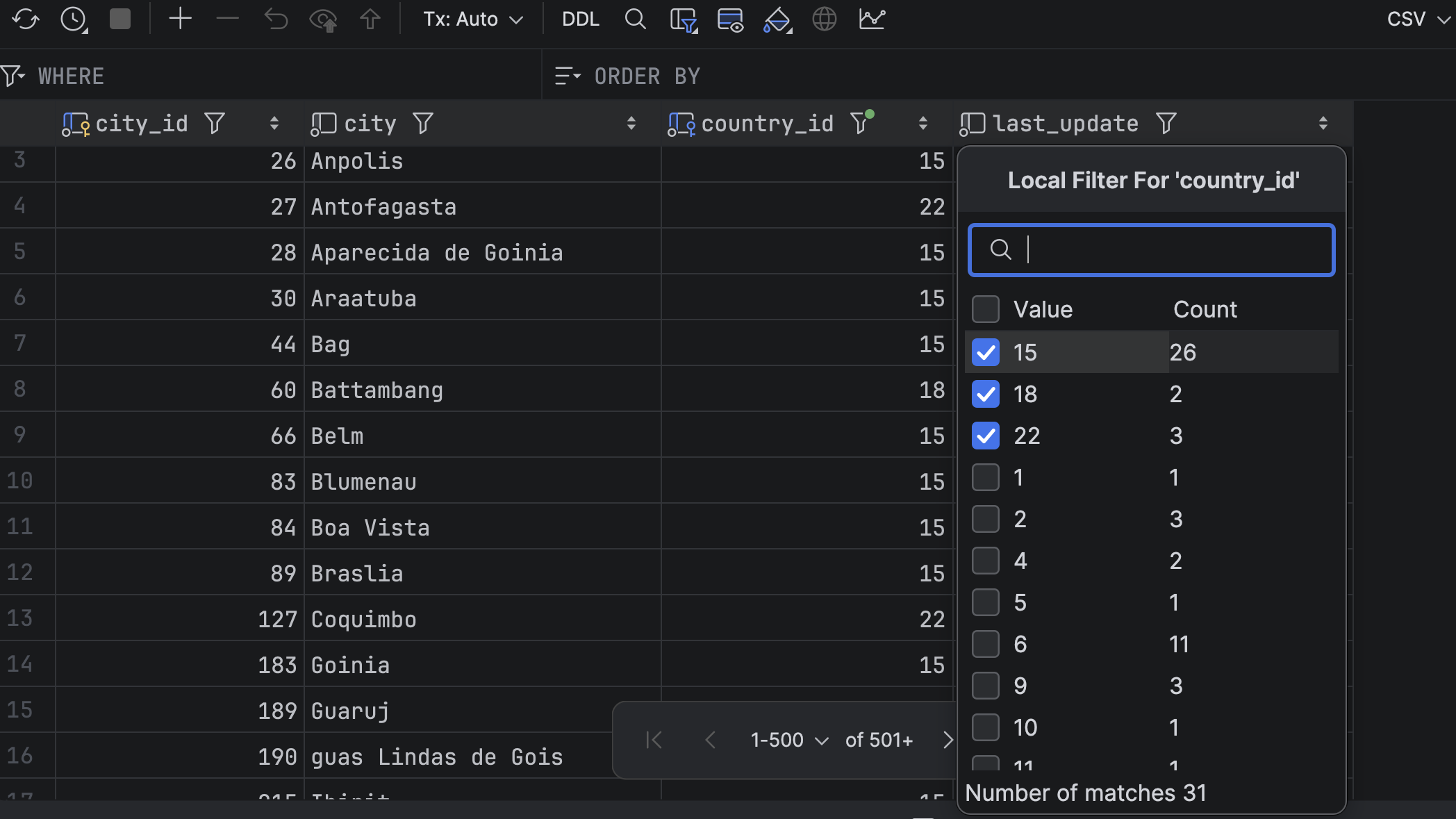
Explore, filter, and view data with interactive tables
Use DataGrip’s Excel-like interactive tables to explore and analyze data – no coding required.
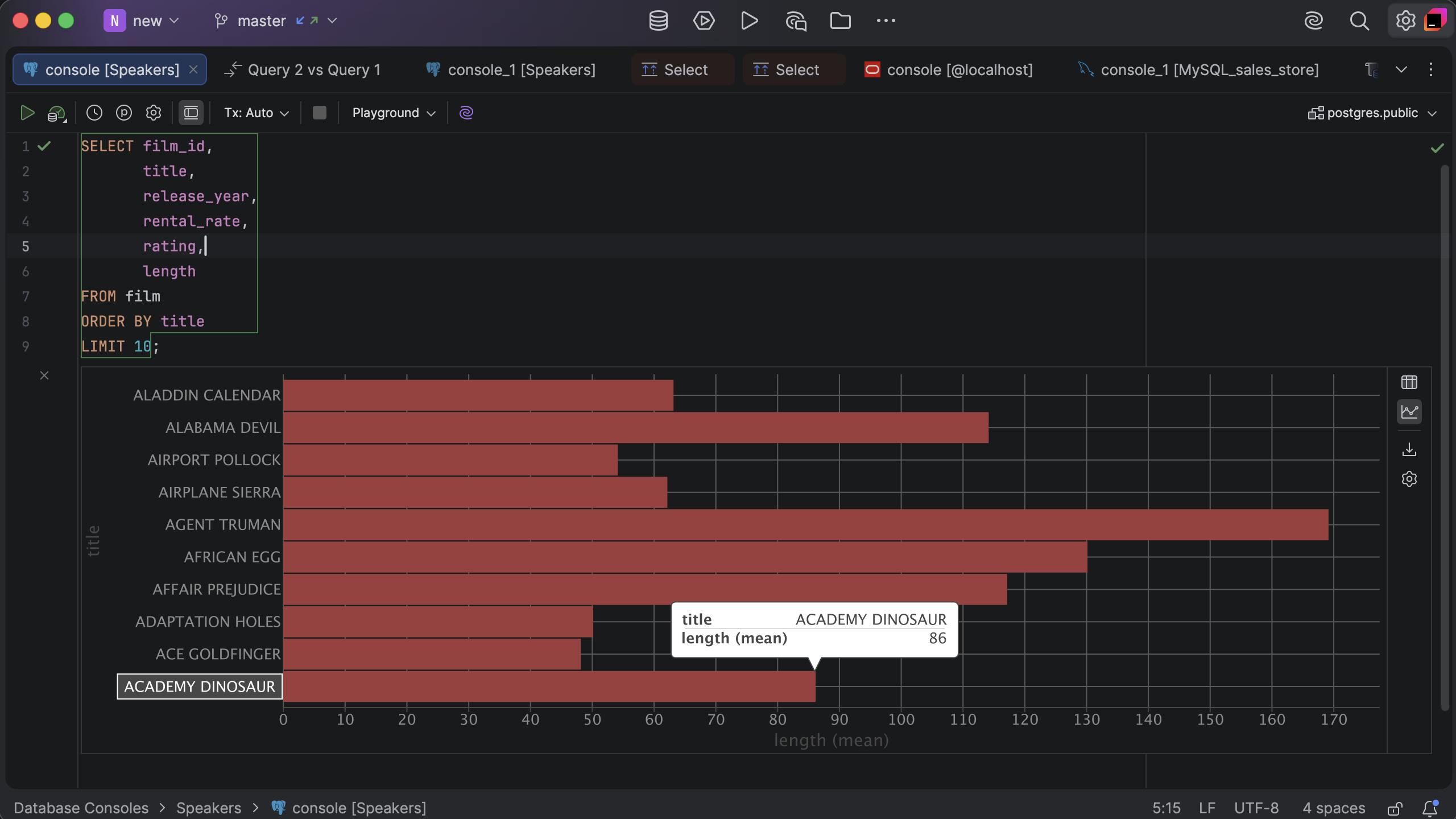
Visualize your data in seconds
Use the built-in data visualization feature to easily build even complex interactive graphs in just a few clicks.
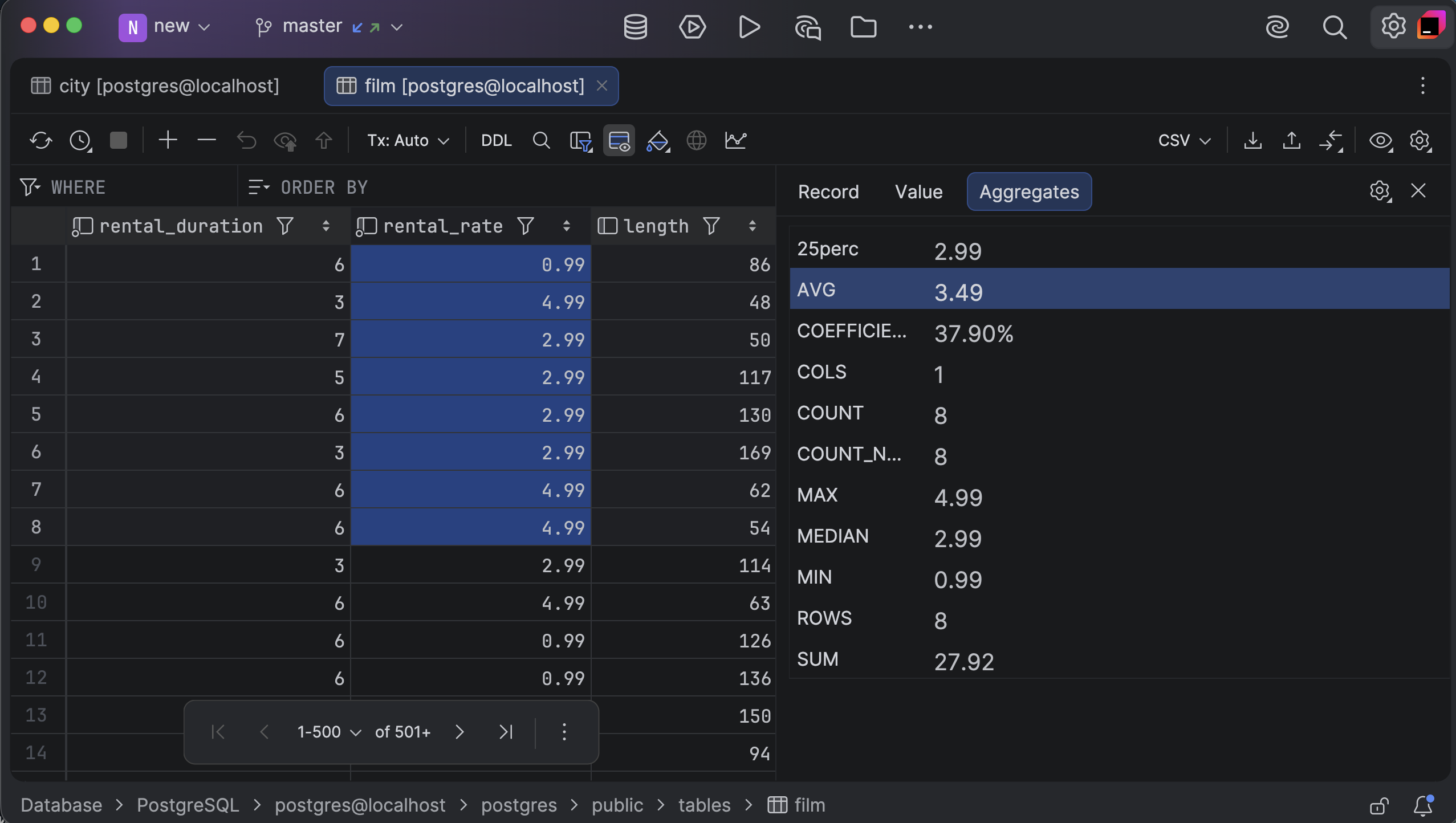
Use built-in aggregations or create your own
Apply aggregations like count, sum, average, min, and max, or create your own. Just select your data and get instant insights.
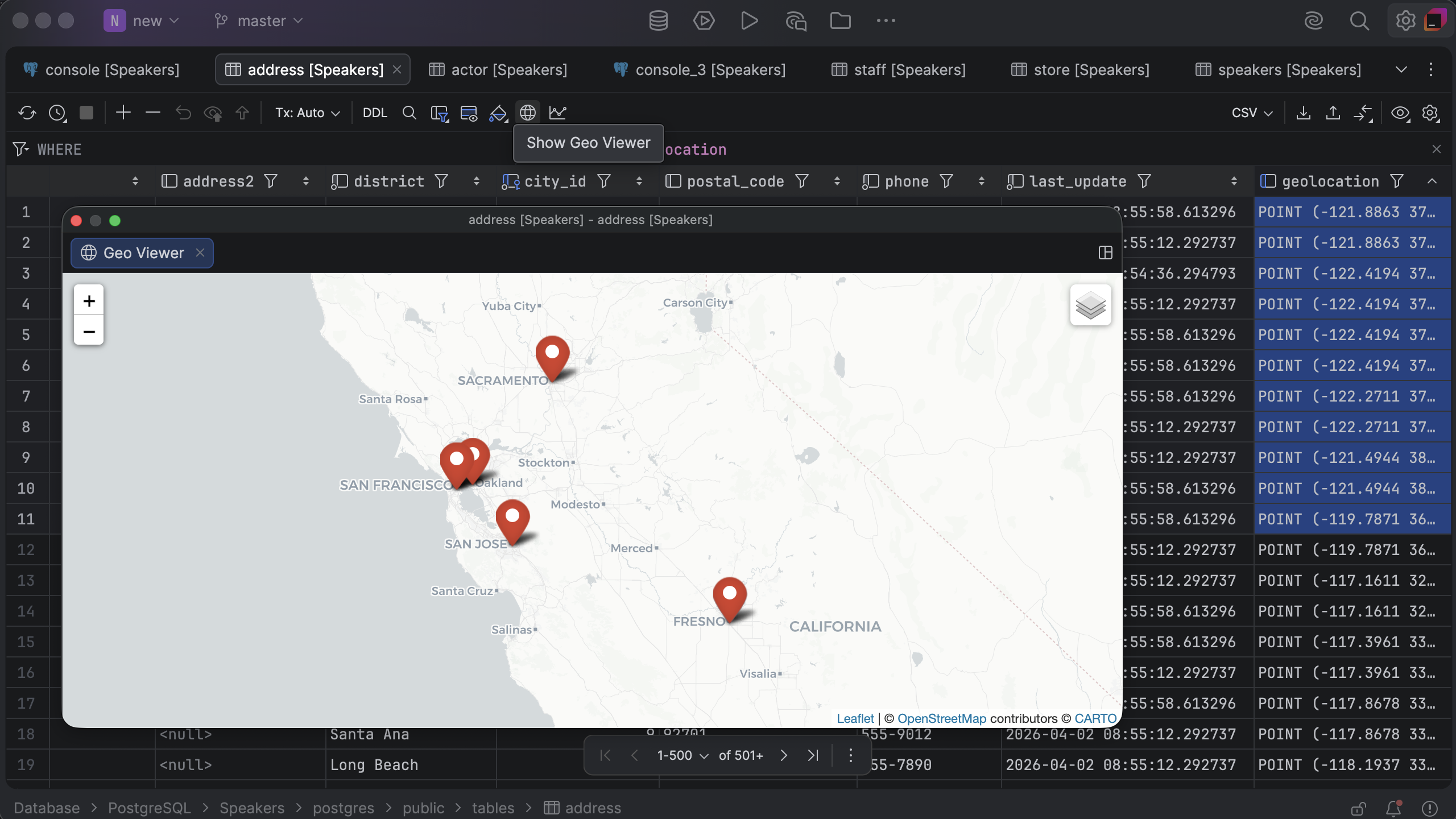
Explore geographical data
Use DataGrip’s built-in geo viewer to visualize and explore spatial data on a map.
JetBrains tools adhere to industry-leading security standards, including SOC 2 certification, ensuring your organization’s data is protected and our products are compliant with global regulations.
Go beyond basic editing
Create or modify tables without writing any SQL. Add, delete, or copy rows with a single click. Preview, commit, or revert changes before submitting them to a database. Compare datasets side by side and easily export data in multiple formats.
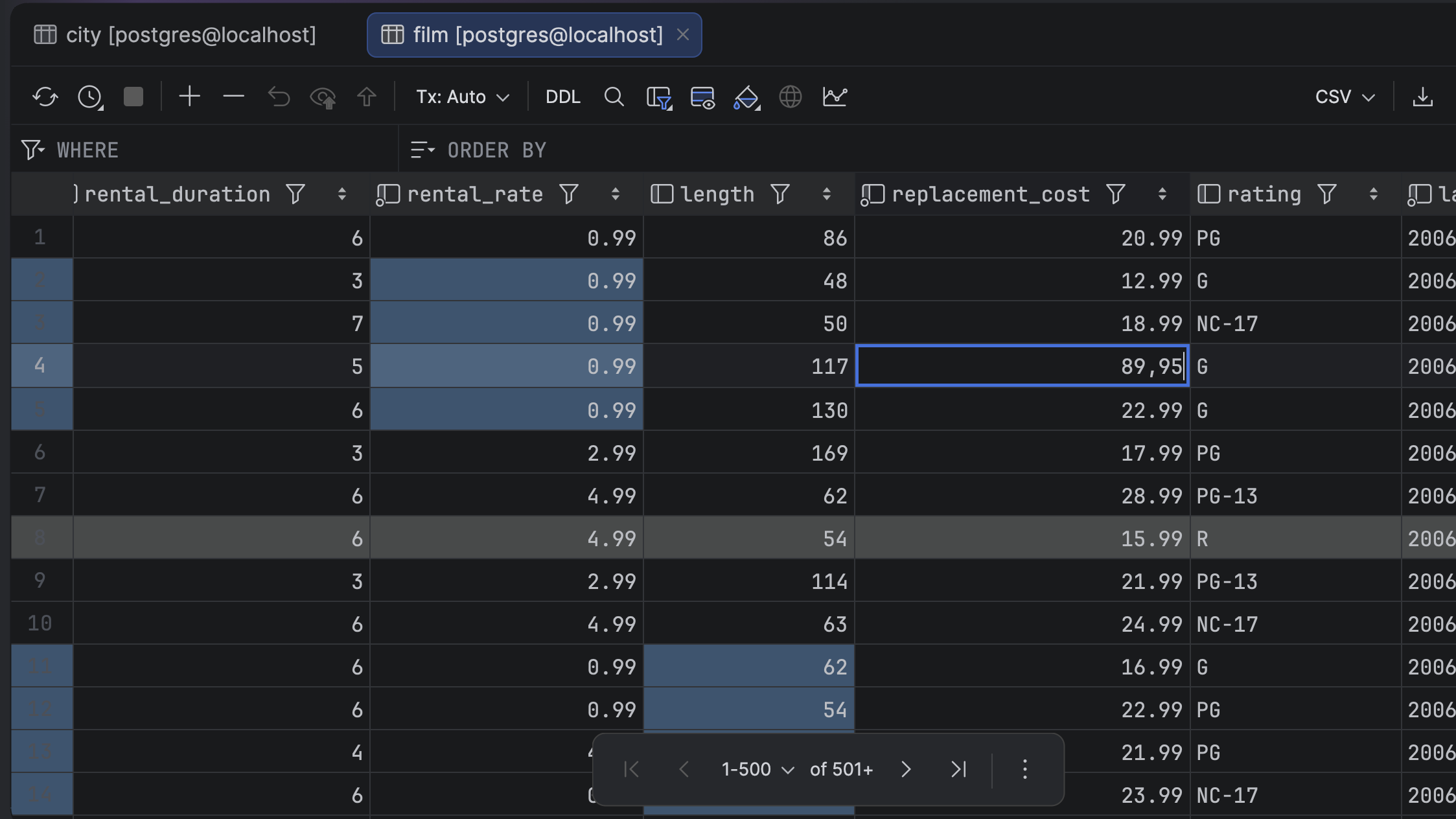
Edit and update your data
Add data manually or paste it from any source. Edit multiple cells at once, apply bulk changes, and more.
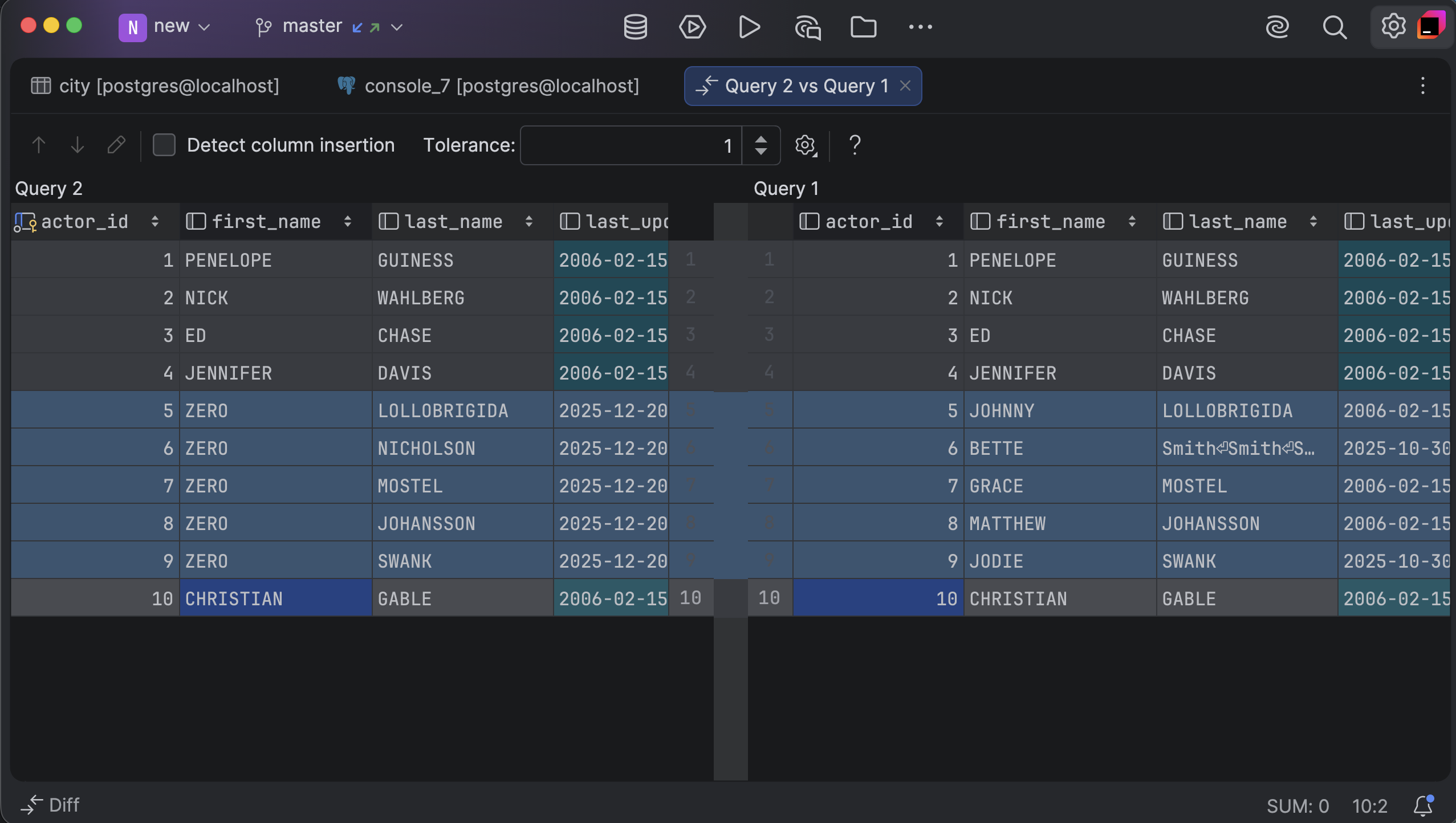
Compare data between result sets or tables
Compare data results side by side and identify differences instantly with the built-in diff viewer.
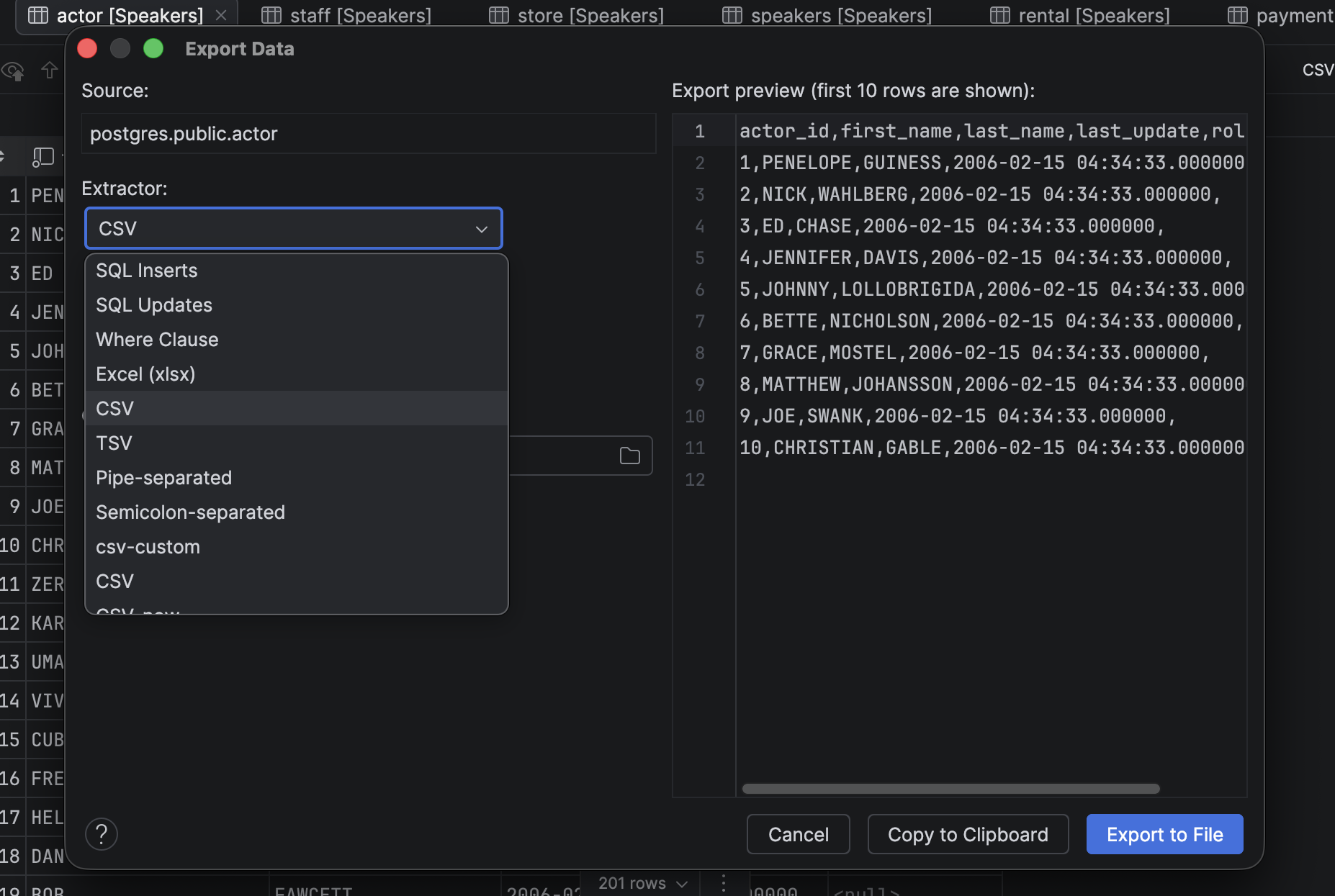
Export in multiple formats
Export data in the format of your choice, including CSV, JSON, HTML, Markdown, Excel, and others. You can even define custom export formats!
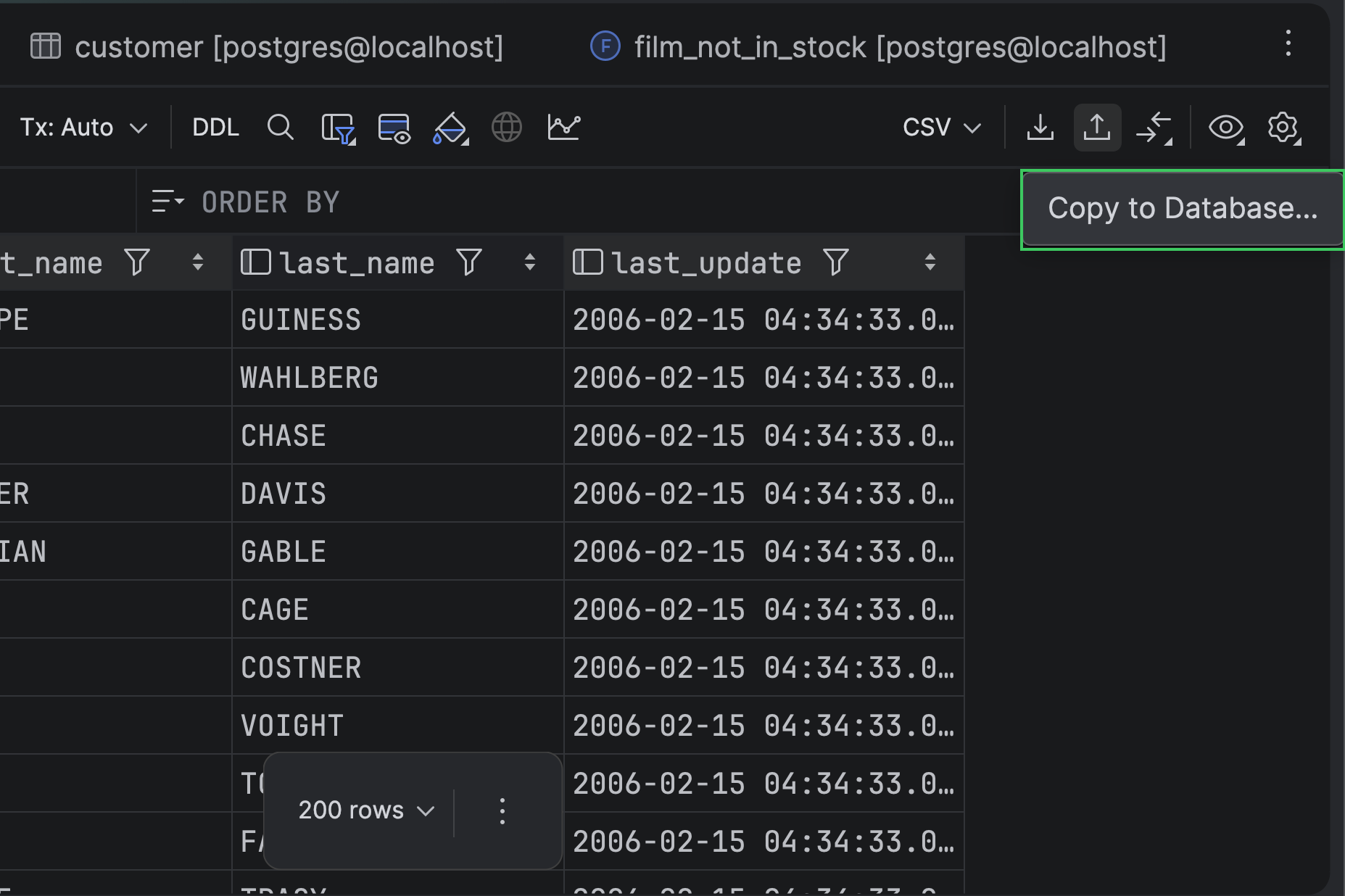
Copy data to another database
Move data from result sets to another database, even across different vendors. Materialize query results as a table so you can analyze, share, or reuse them.
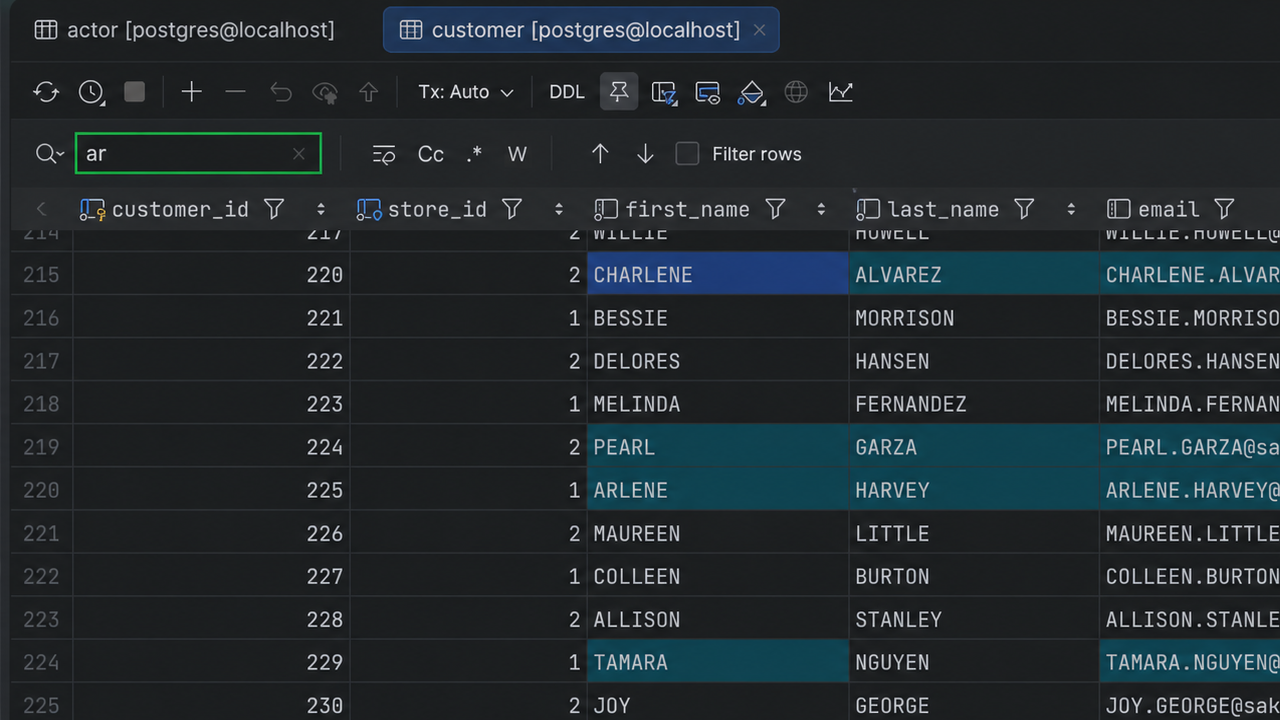
Text search
You can find data quickly within a table without writing a statement. Press Cmd+F to bring up the text search feature. It's especially helpful if you don't know exactly which column contains the data you're looking for. You can easily hide irrelevant rows, and regular expressions are also available.
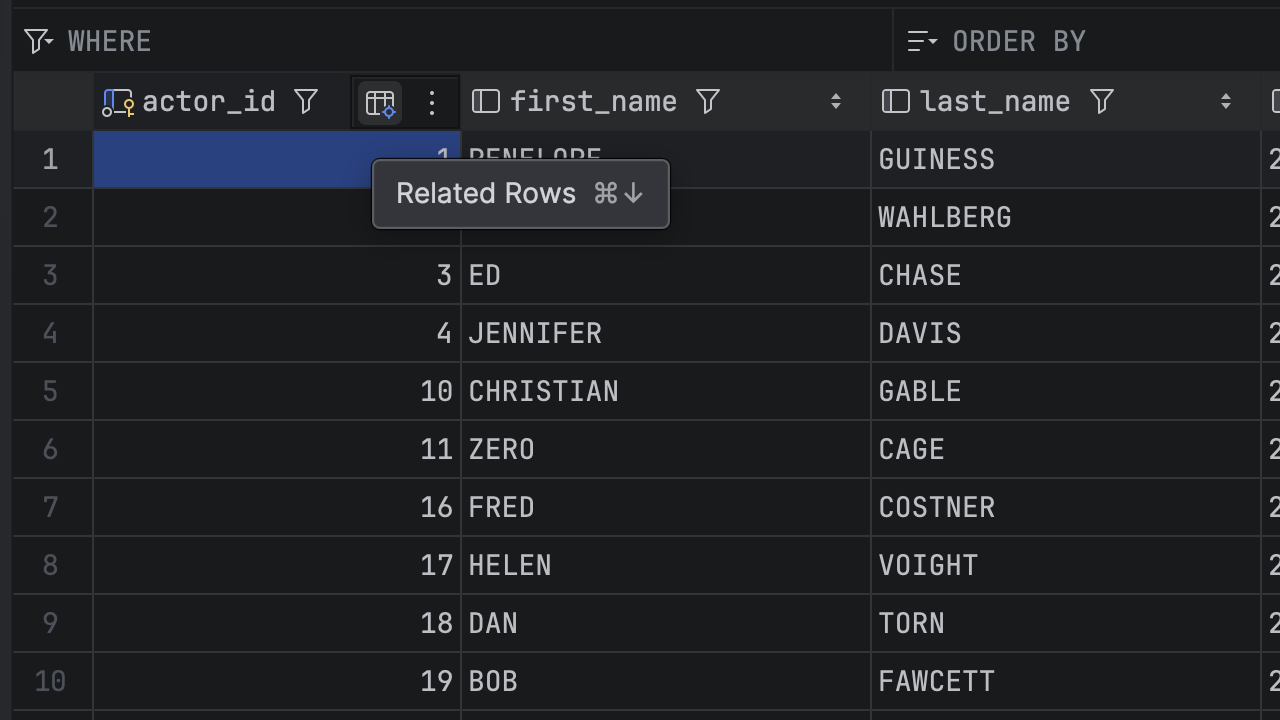
Who needs queries to navigate through related data? Instead, simply use Related Rows to jump to matching records in another table, or press Cmd+Down to navigate in the opposite direction. Exploring connected data across your database has never been easier or quicker!
