ReSharper Out-of-Process: Now Available As The Default Mode
We're excited to announce that ReSharper 2026.2 and newer releases now run out-of-process with Microsoft Visual Studio.
Click the button below to download the latest ReSharper build.

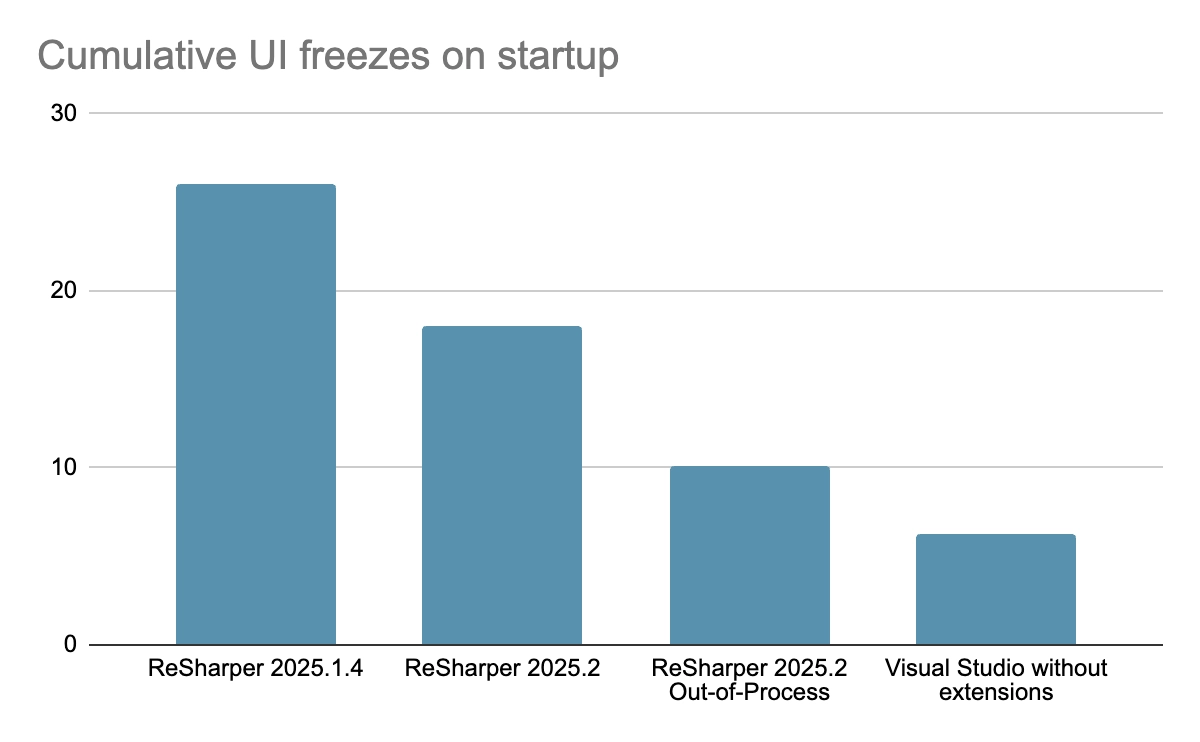
ReSharper’s New Out-of-Process Engine Cuts Visual Studio startup UI freezes by 61%
Benchmarked. Validated. Proven. Discover how ReSharper's new out-of-process architecture eliminates the interruptions that break your coding rhythm, while delivering all the intelligent analysis and refactoring power you rely on.
How to take ReSharper Out of Process
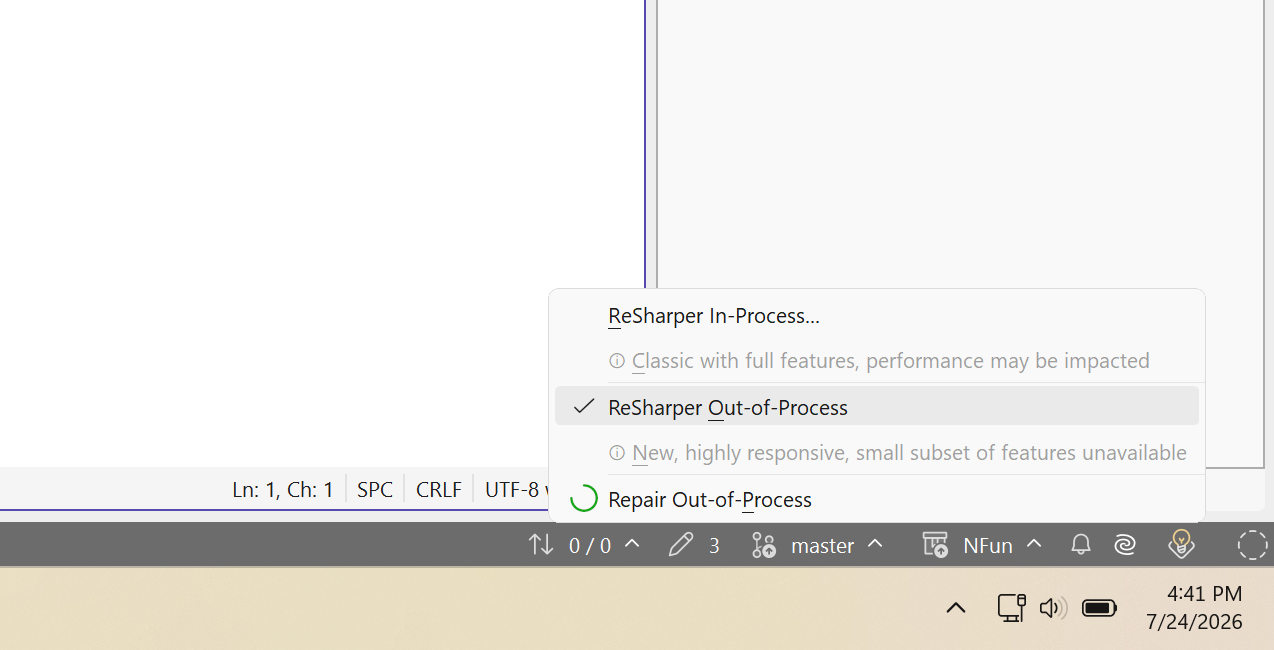
Toggling between modes
- In the main menu, select ReSharper | Out-of-Process | Switch to Out-of/In-Process Mode.
Go to the Environment | Products & Features page of ReSharper options Alt+R, O, toggle the Run ReSharper in separate process checkbox, and then click Save and Restart.
Right-click the Out-of/In-Process indicator on the status bar and choose the corresponding action. - ReSharper will reinitialize without having to restart Visual Studio.

Explore the latest updates to JetBrains ReSharper from our website