SQL support
Get intelligent code assistance and real-time feedback while writing SQL. DataGrip highlights errors before execution, offers context-aware completion, and helps you avoid common mistakes.
Faster SQL development
Accelerate your workflow with schema-aware code completion, live templates, and AI-powered assistance features such as cloud completion and text-to-SQL.
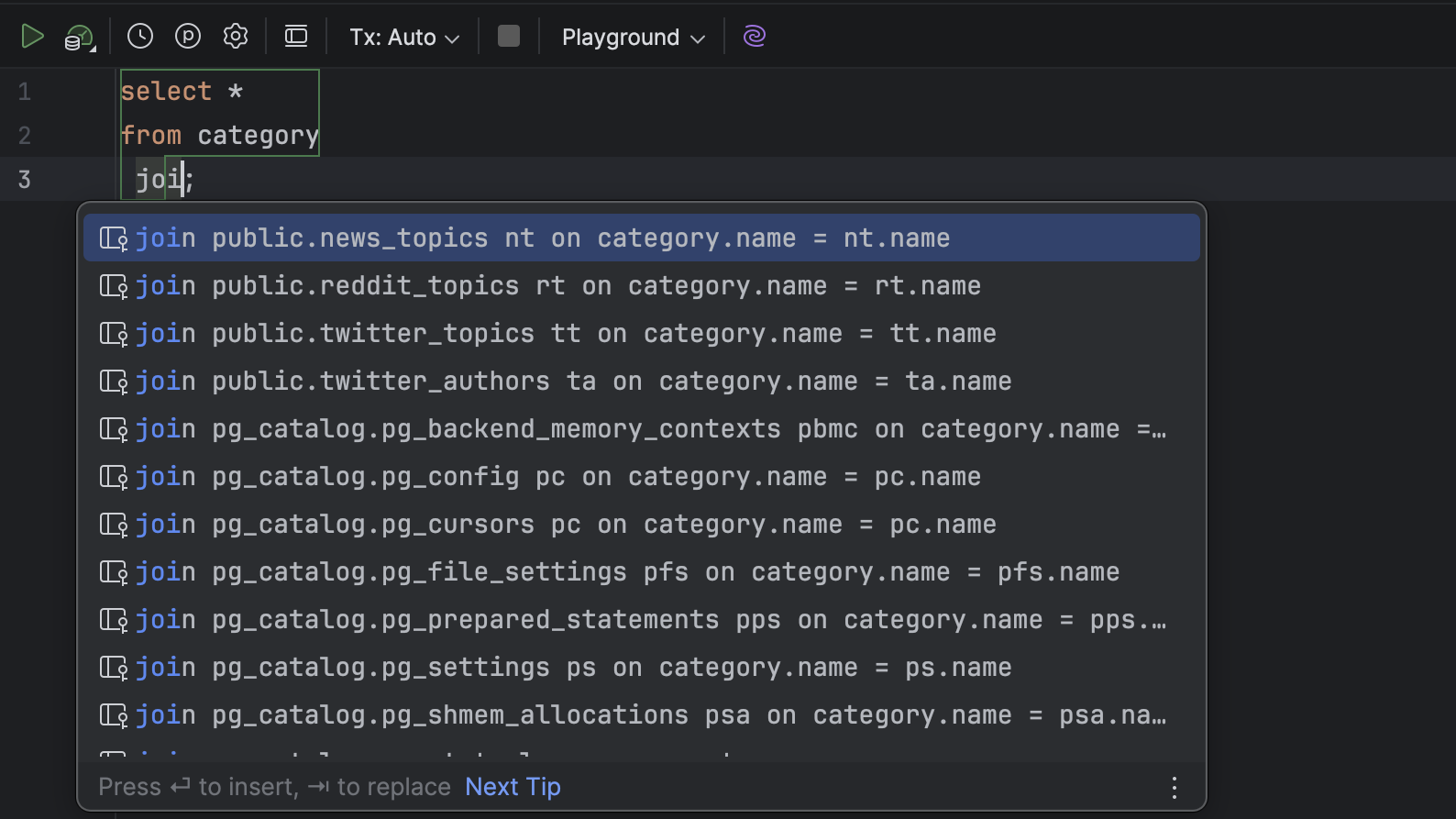
Schema-aware code completion
DataGrip suggests complete JOIN statements using foreign keys, auto-fills fields for INSERT statements, understands abbreviations, and even adapts if you forget to switch your keyboard layout.
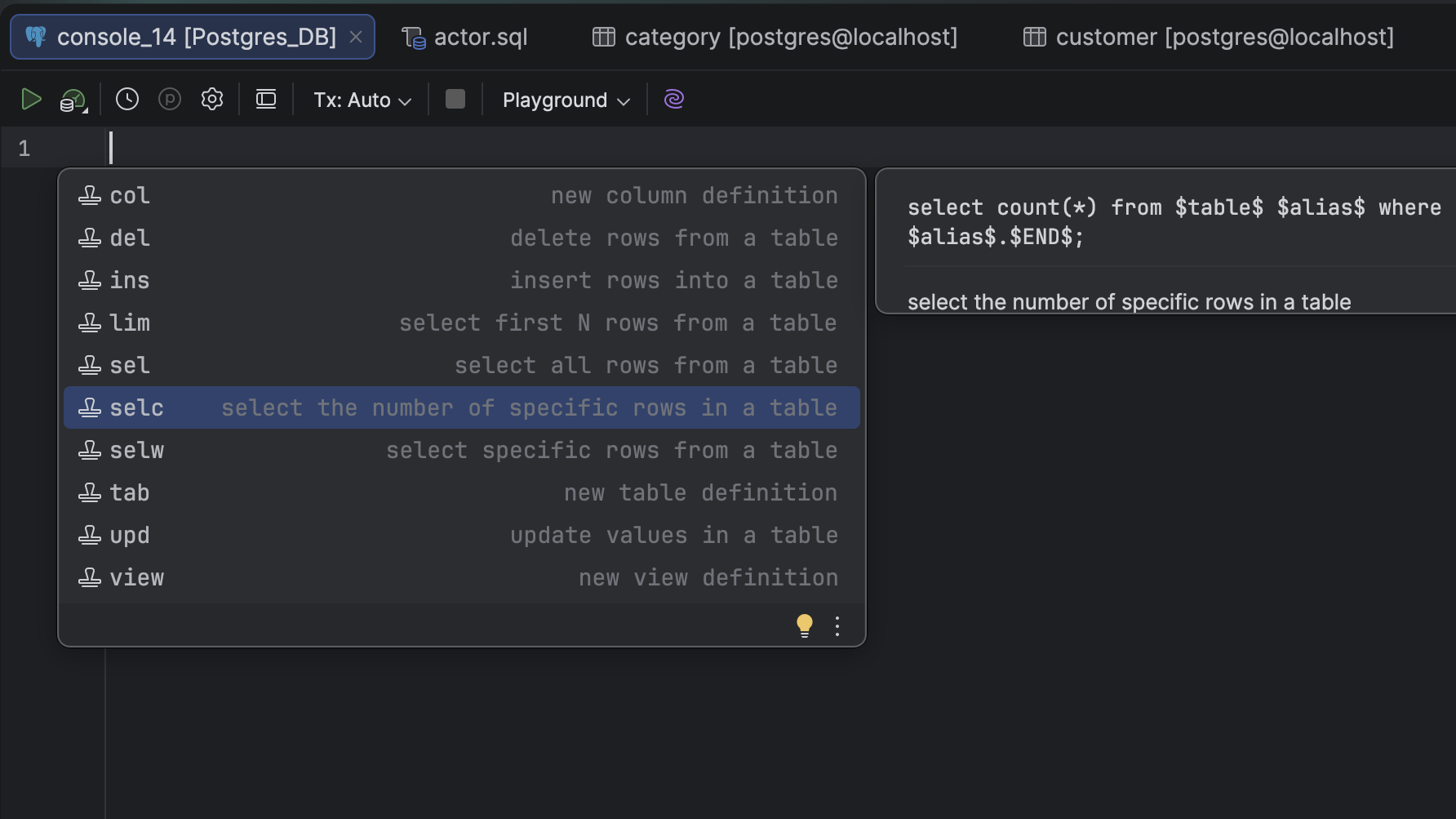
Live templates
Use built-in live templates to generate repetitive parts of SQL code, and create custom templates for even greater efficiency. Press Cmd+J to view available templates – every live template has its own abbreviation. Just type the abbreviation and press Tab to paste the entire code block.
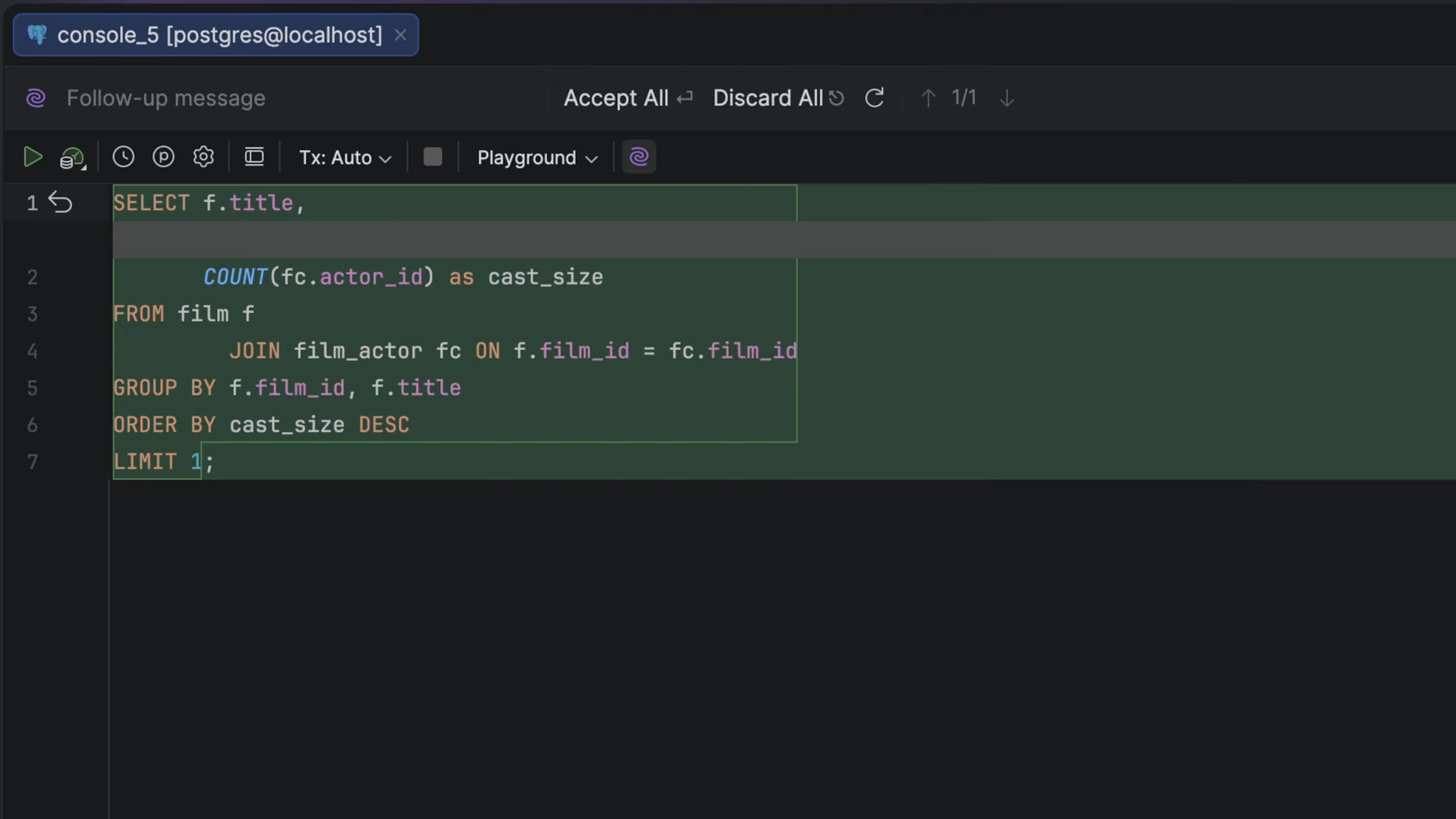
Text-to-SQL
Interact with your database using natural language – not just in the chat, but also within the query console. Write queries in English, Chinese, German, or any other language. The query console understands your database schema, so generated queries are context-aware and aligned with your data.
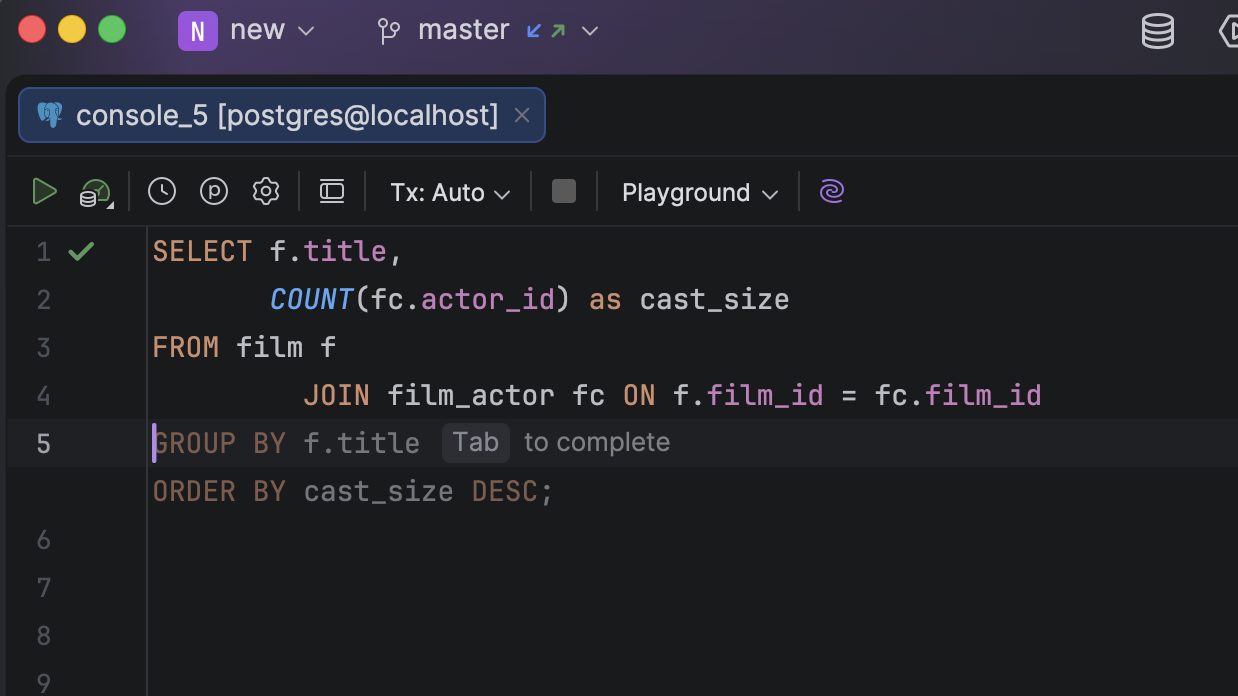
Cloud code completion
Autocomplete SQL queries, clauses, and even complex statements in real time based on your database schema and project context. The generated SQL matches your style and naming conventions, as well as the way you write queries.
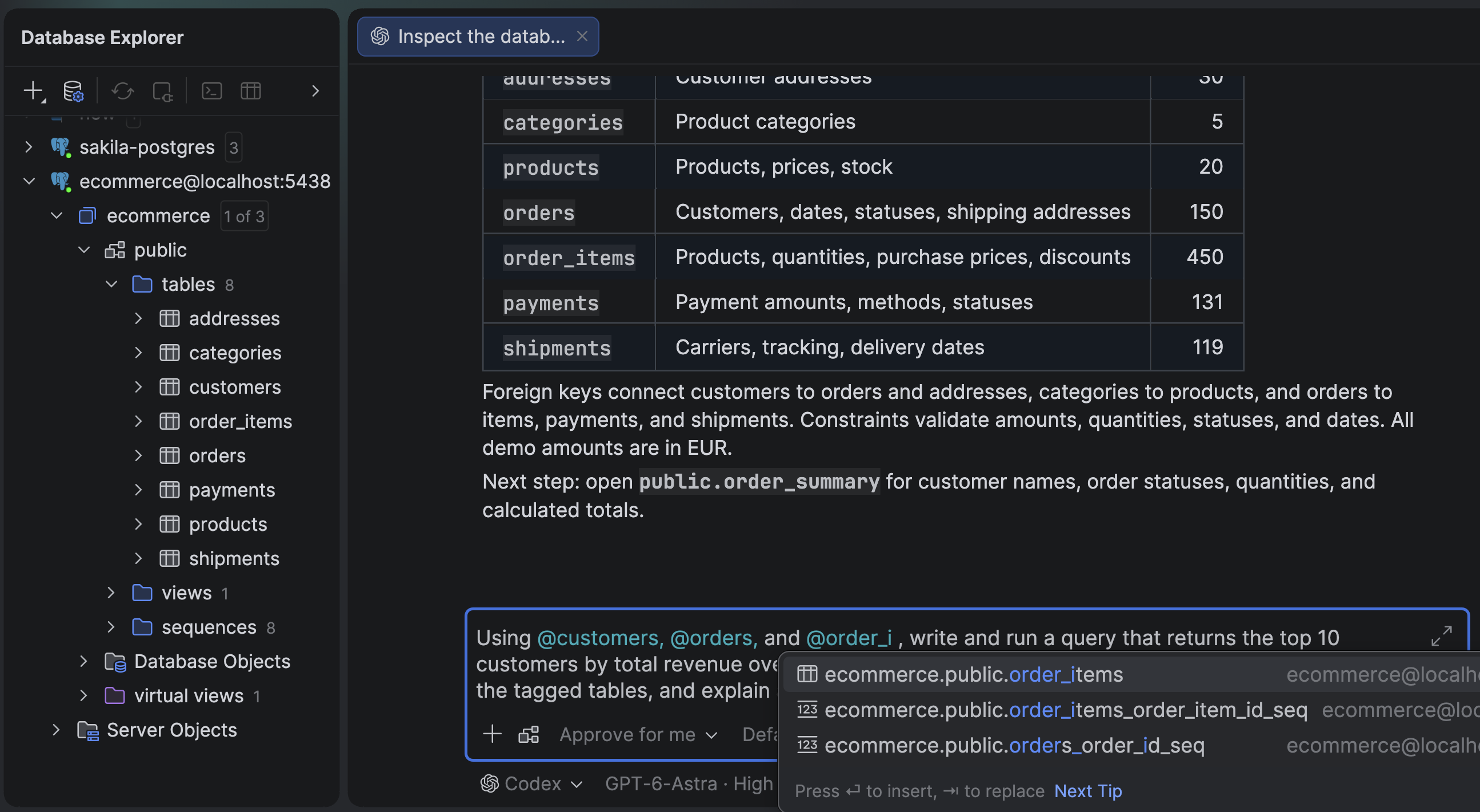
Mentioning database objects for AI agents
Mentioning database objects directly in your AI Assistant chat allows the model to instantly access specific schema contexts. Type @ followed by a database object to explicitly tag tables, routines, or entire schemas within your natural language prompt – no need to keep the DDL files for your database structure to help AI agents define the context.
Easy refactoring everywhere
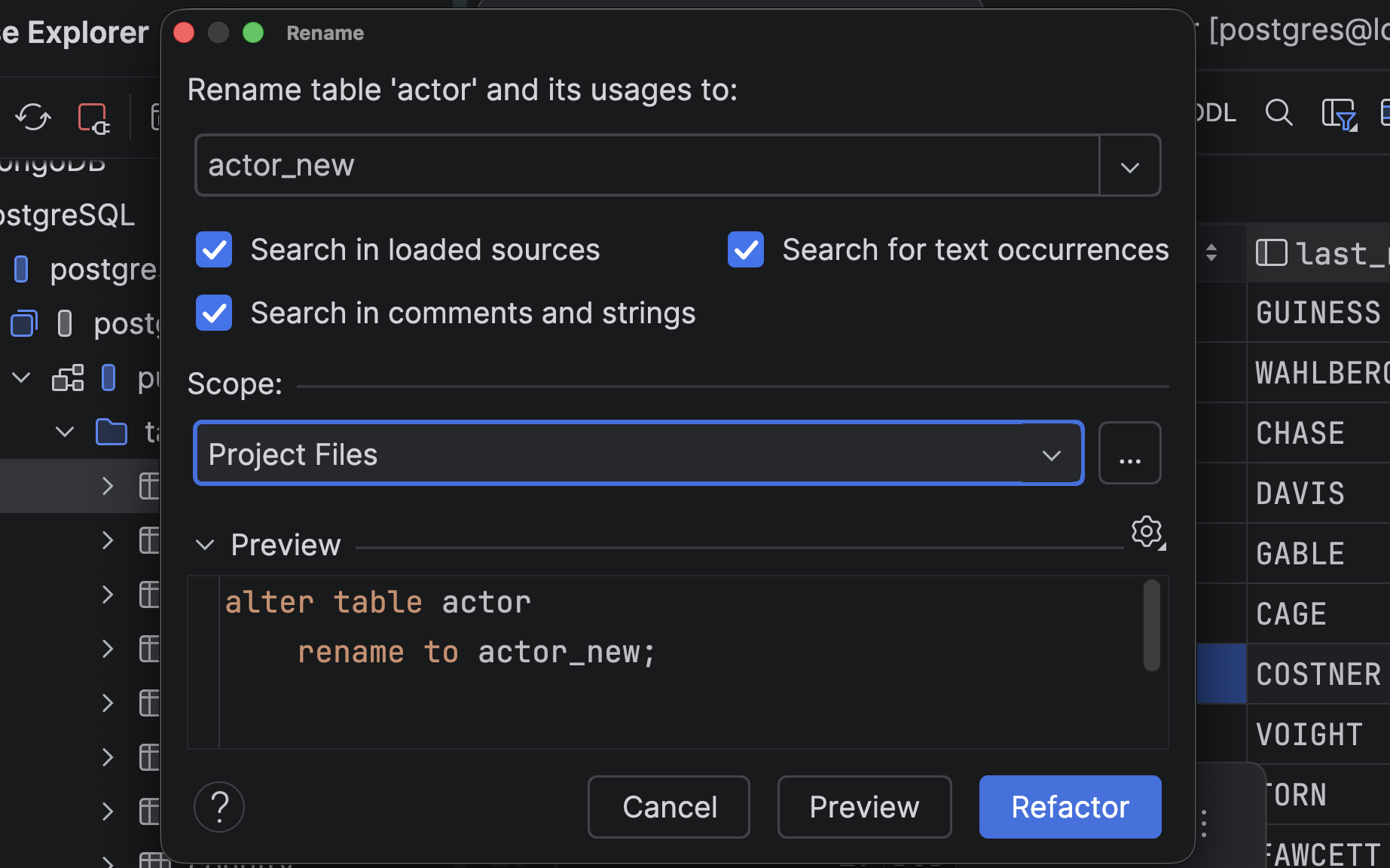
Rename tables, aliases, and columns throughout your SQL code and database. DataGrip updates all usages, keeping your scripts and database structure in sync and ensuring you avoid errors and broken references.
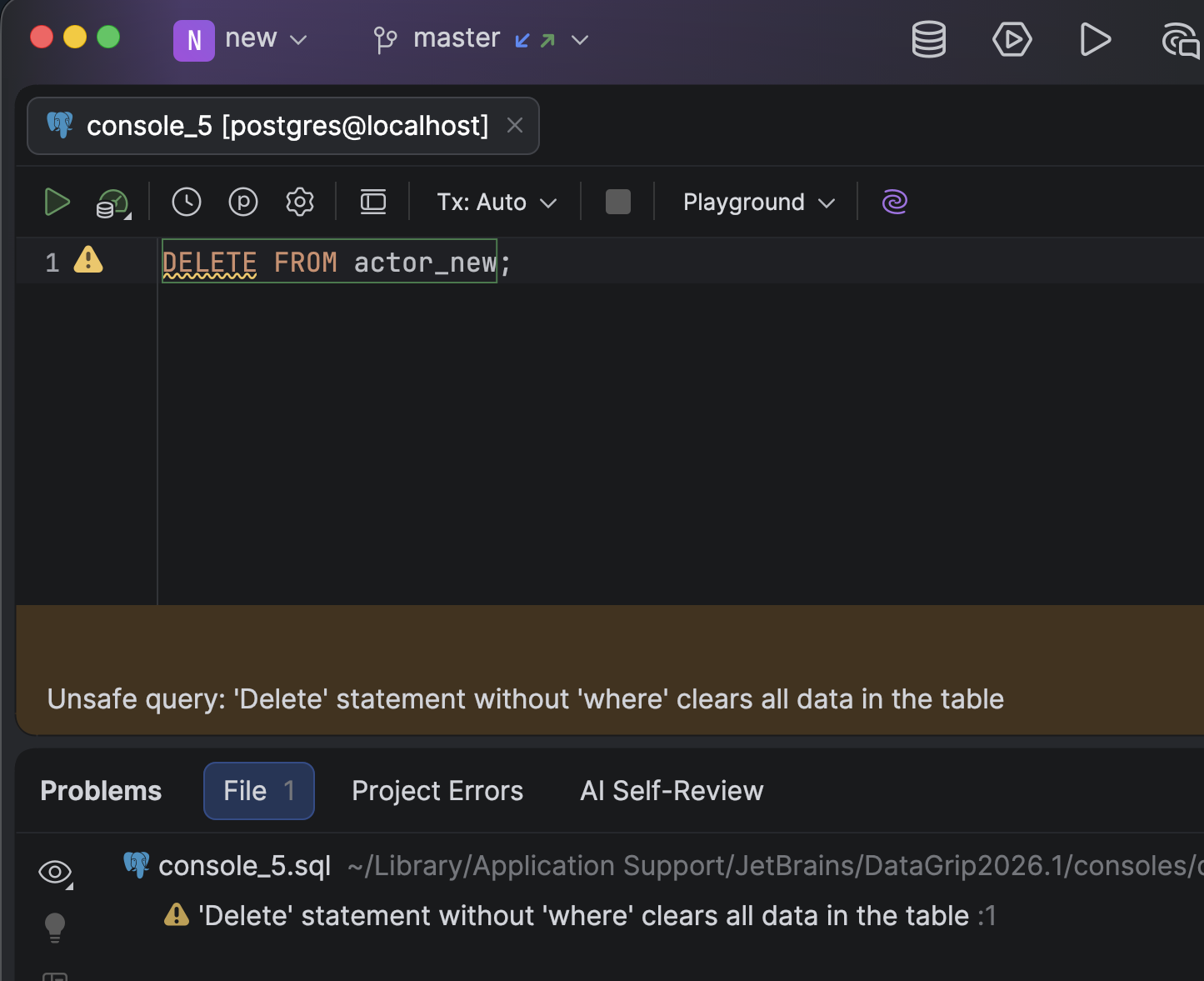
Early error detection and quick-fixes
As you type, DataGrip detects SQL errors, dead code, and risky operations, offering one-click fixes so you can resolve issues in real time.
Generating SQL
Forget about writing typical code manually! DataGrip can do that for you. It generates code for operations like modifying tables and columns. It also helps you produce a DDL for any object and provides DML queries from result sets and updates.
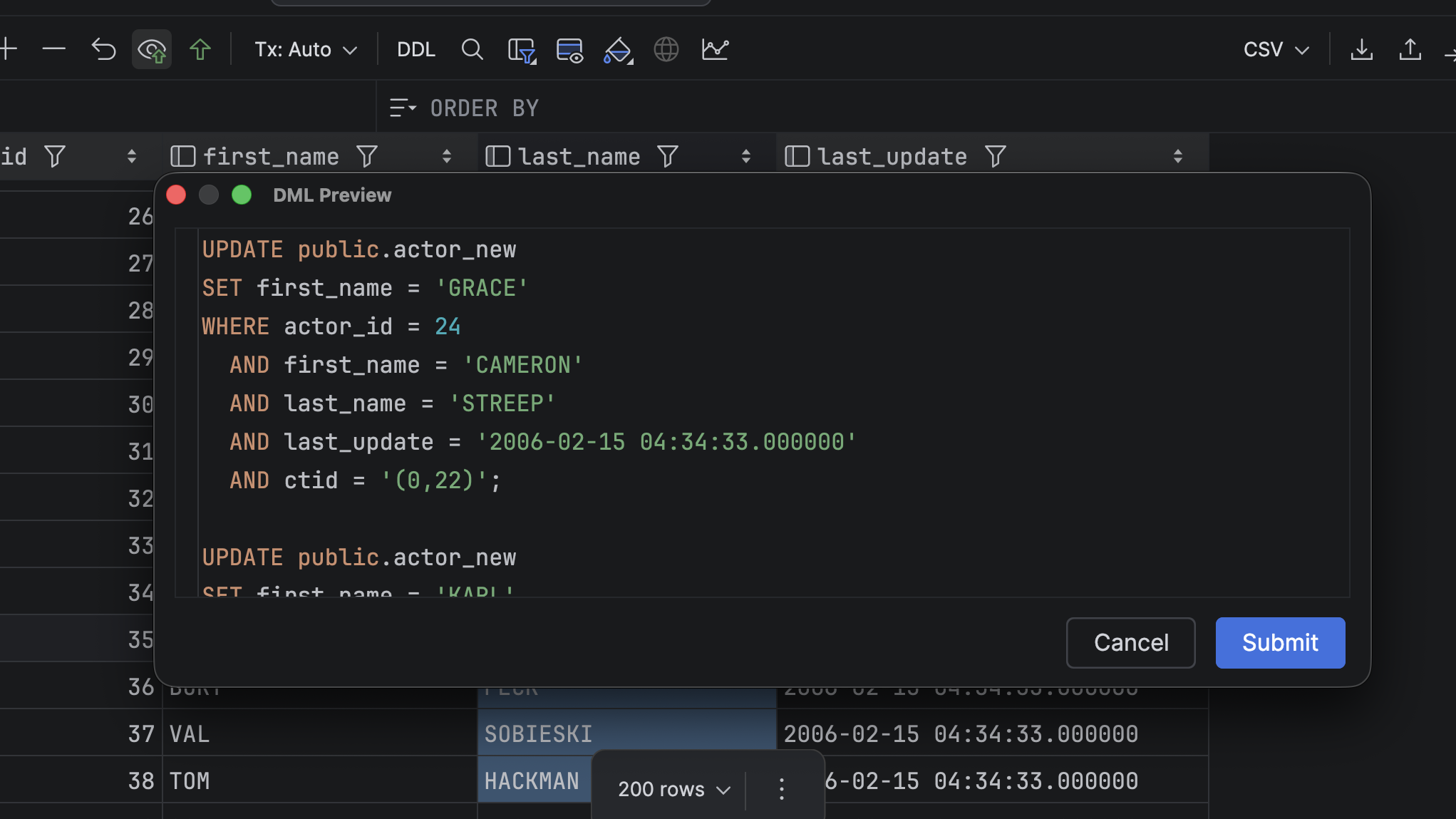
Visual table data editing
Modify tables effortlessly with a visual editor. Add or change columns, indexes, and constraints while instantly previewing the generated DDL code. Apply your changes directly or copy the script for later use.
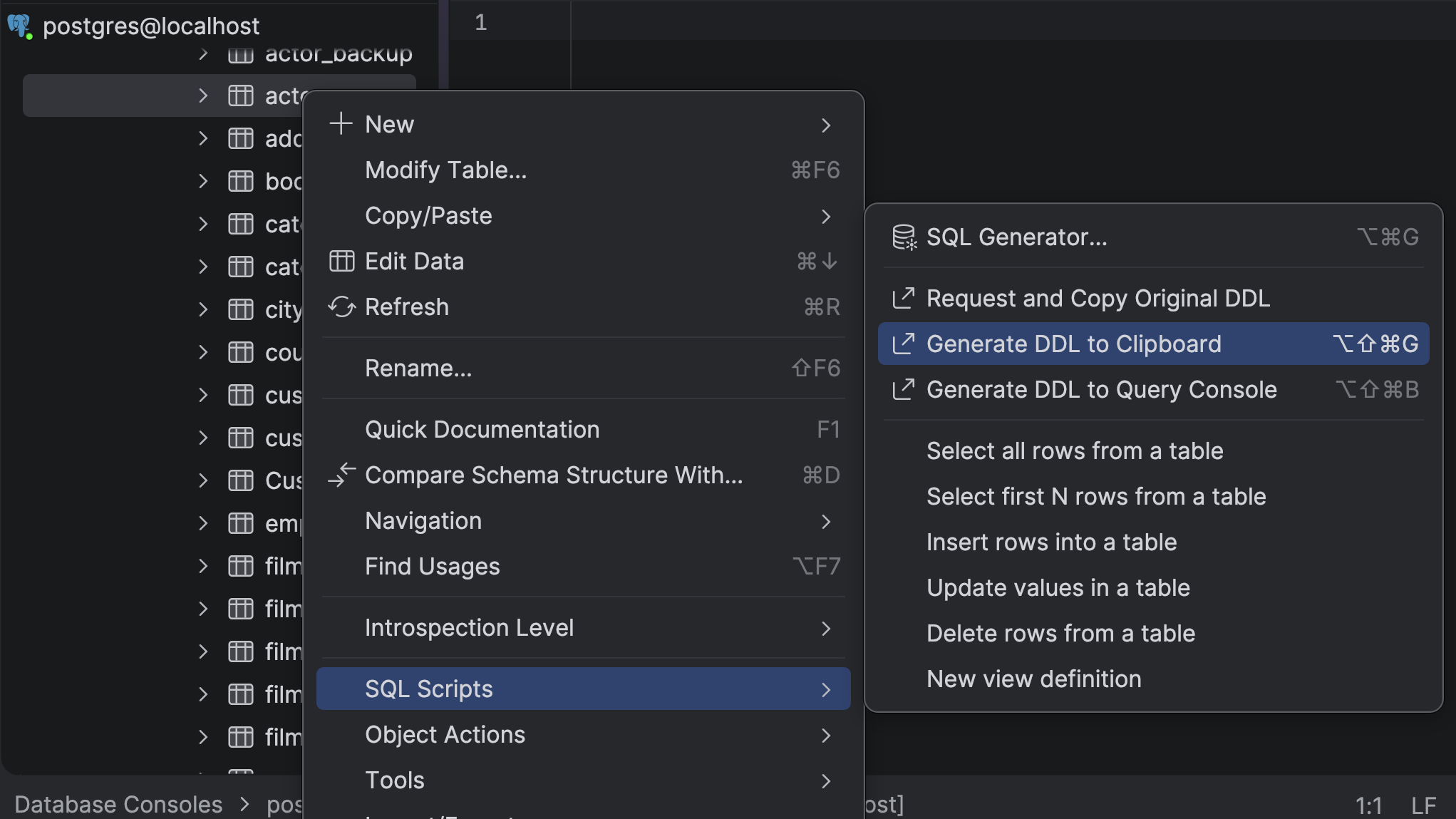
Flexible DDL script generation
Instantly generate DDL scripts for any database object. Create scripts for single objects or bulk-generate them for entire schemas in just a few clicks.
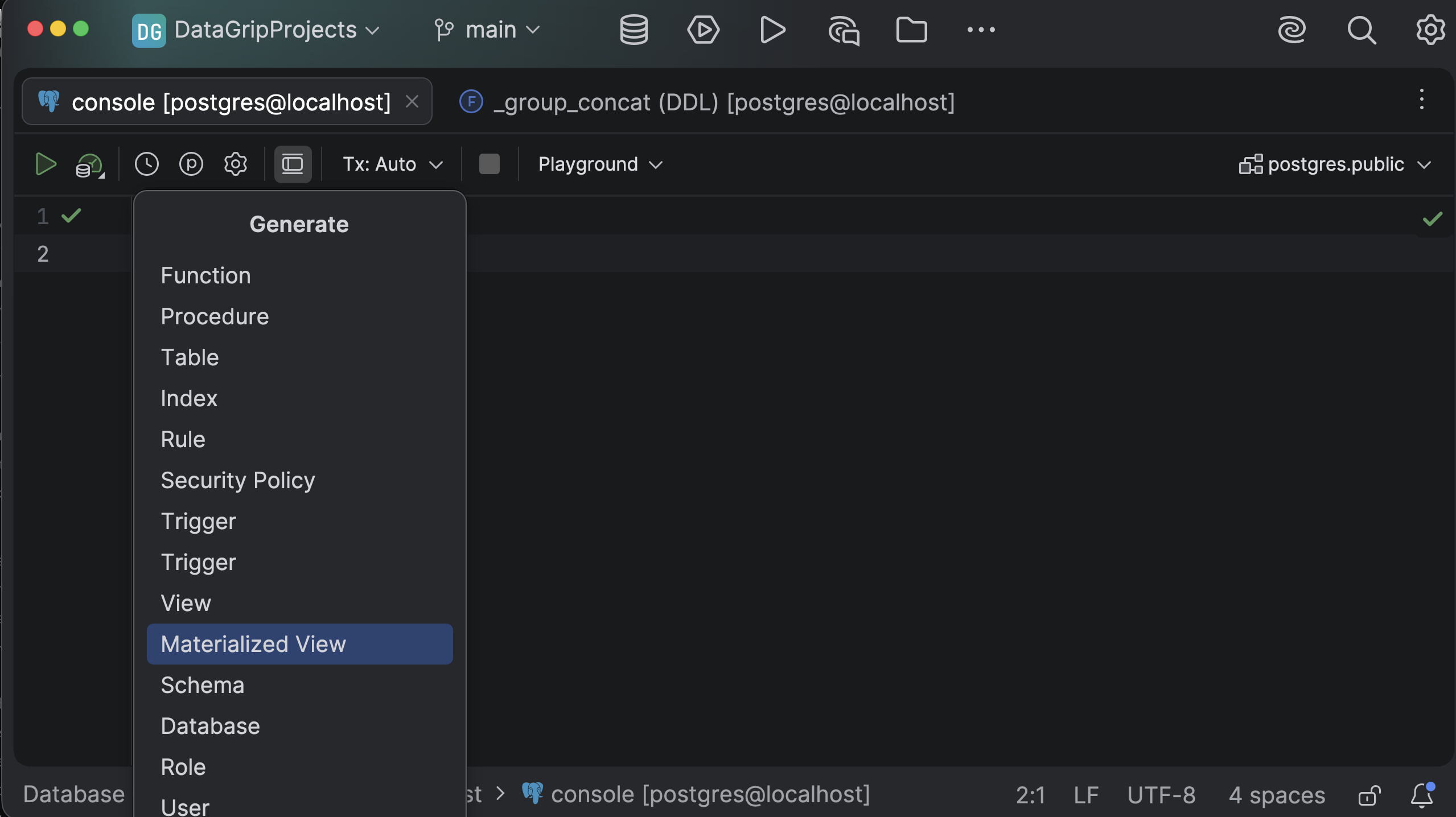
One-click code snippets
Benefit from ready-made code snippets for creating tables, functions, procedures, and triggers. DataGrip inserts the perfect DDL template directly into your editor.
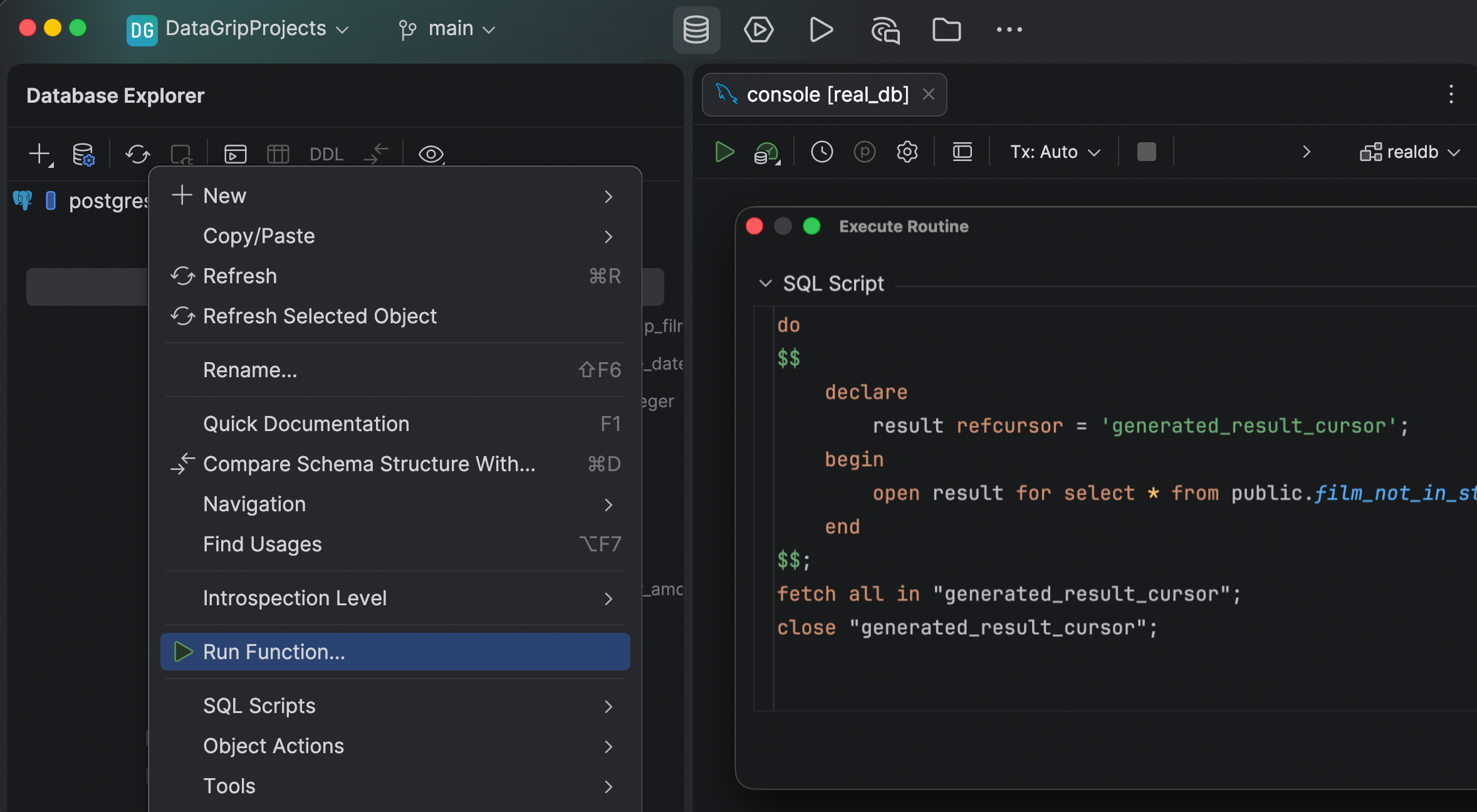
Procedure execution scripts
Generate execution scripts for stored procedures and functions automatically. Just select the option, fill in your parameters, and run the scripts.
