Running queries
Write, run, and optimize your queries with a smooth and flexible workflow.
Query execution
Quickly switch between schemas, open multiple consoles, and run selections or full scripts with a single click or shortcut. Name, compare, and explore results with ease.
Query consoles
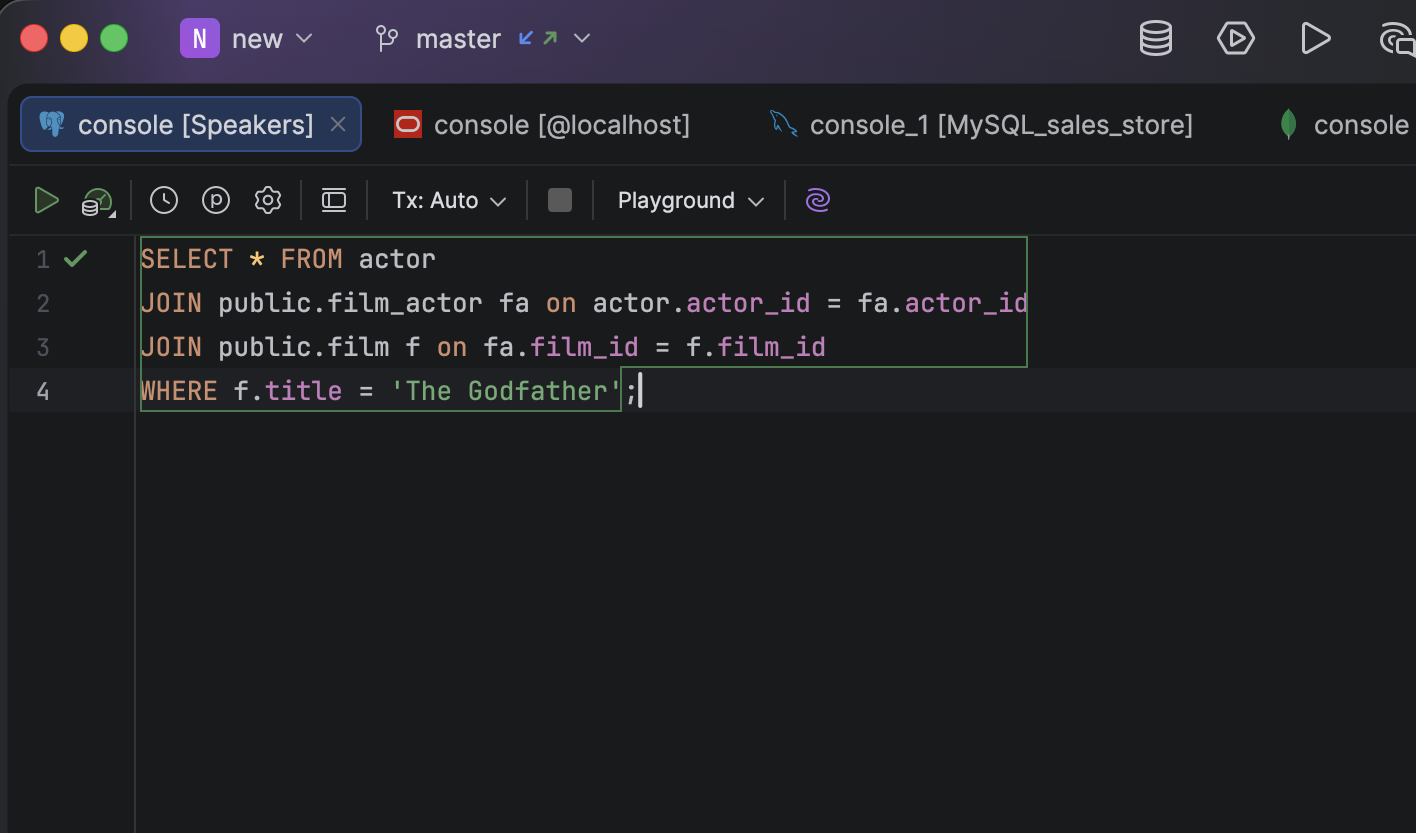
Work with multiple databases and projects simultaneously, switch schemas on the fly, and open as many consoles as you need. Execute queries in different modes and keep track of all your activity with the local history, preventing you from losing your work.
Execution options
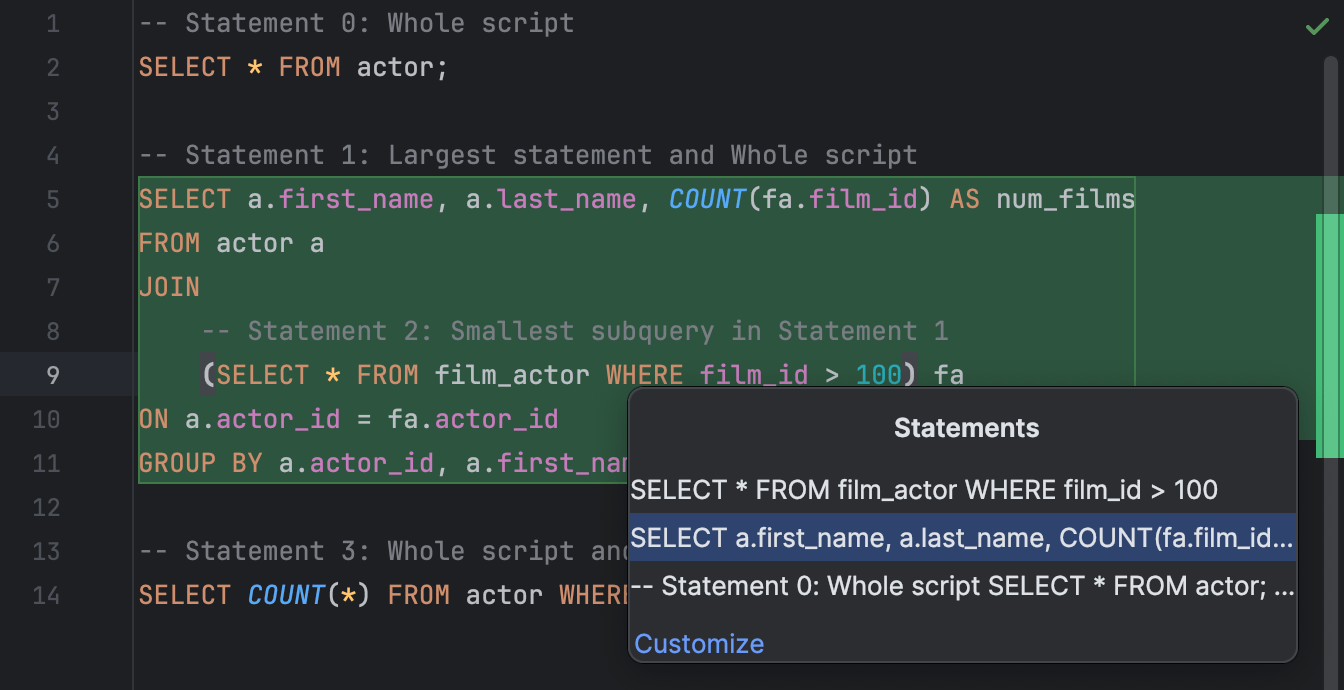
DataGrip provides smart options for executing queries. When the cursor is inside a query, execution can be customized in several ways. Run the smallest statement, the largest statement, or the entire script, or choose what exactly to execute.
Complete control and safety
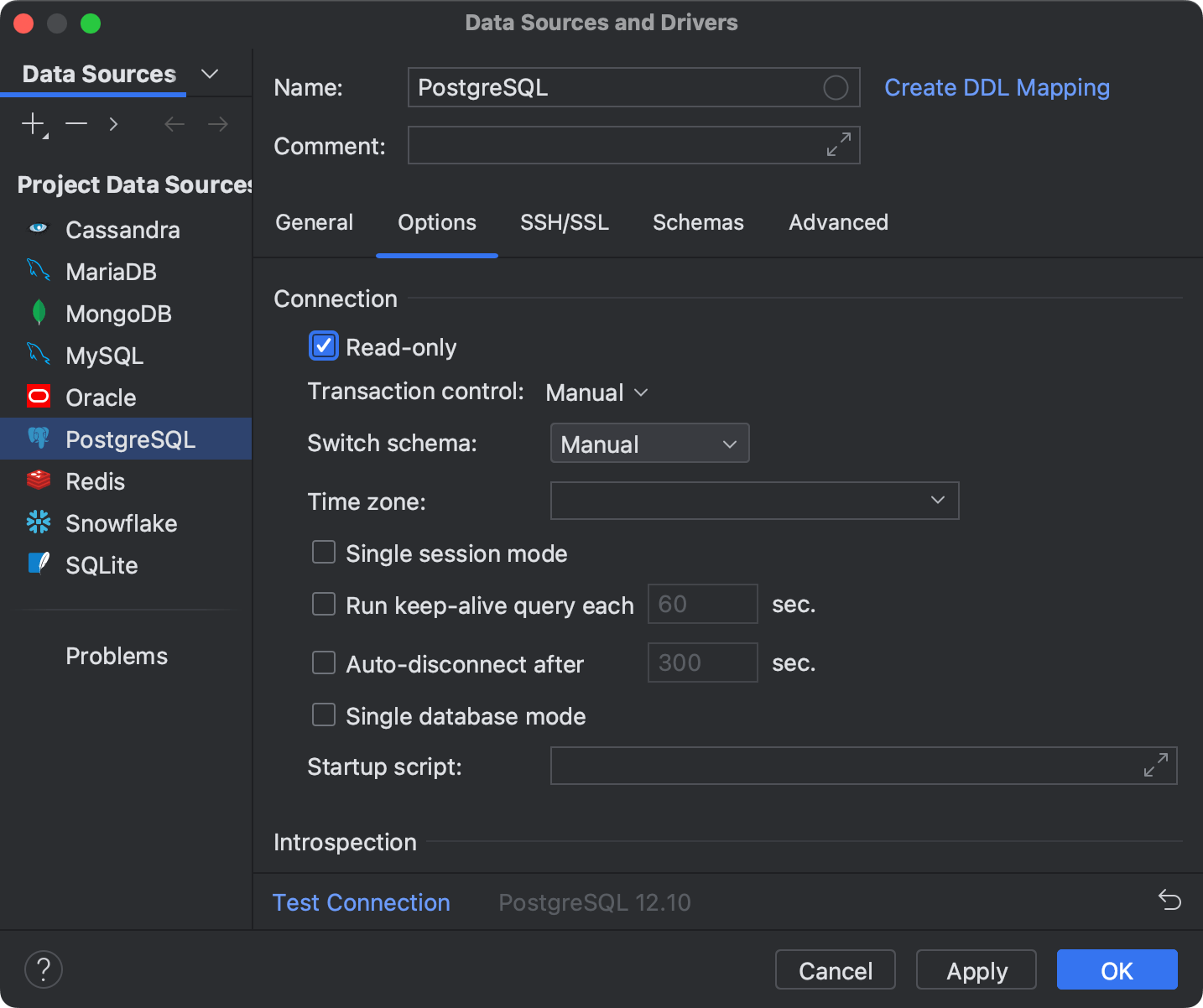
DataGrip safeguards your workflow with Read-only mode, warnings for unsafe queries, and flexible transaction control.
Read-only protection
Use Read-only mode to prevent accidental changes and ensure your critical data stays protected.
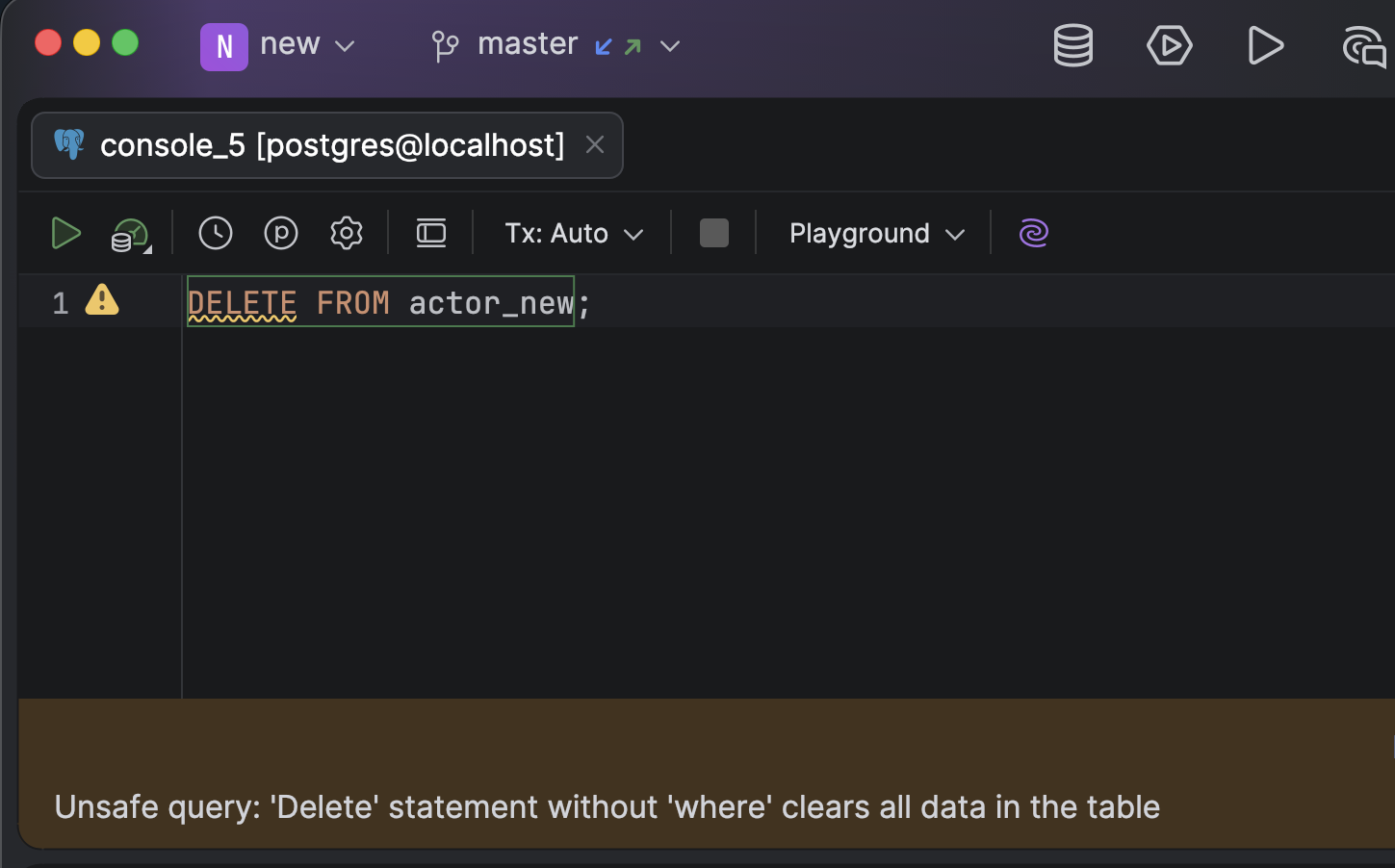
Warnings for unsafe queries
If you’re about to delete an entire table or update all its data, DataGrip warns you before executing the operation, helping you avoid costly mistakes.
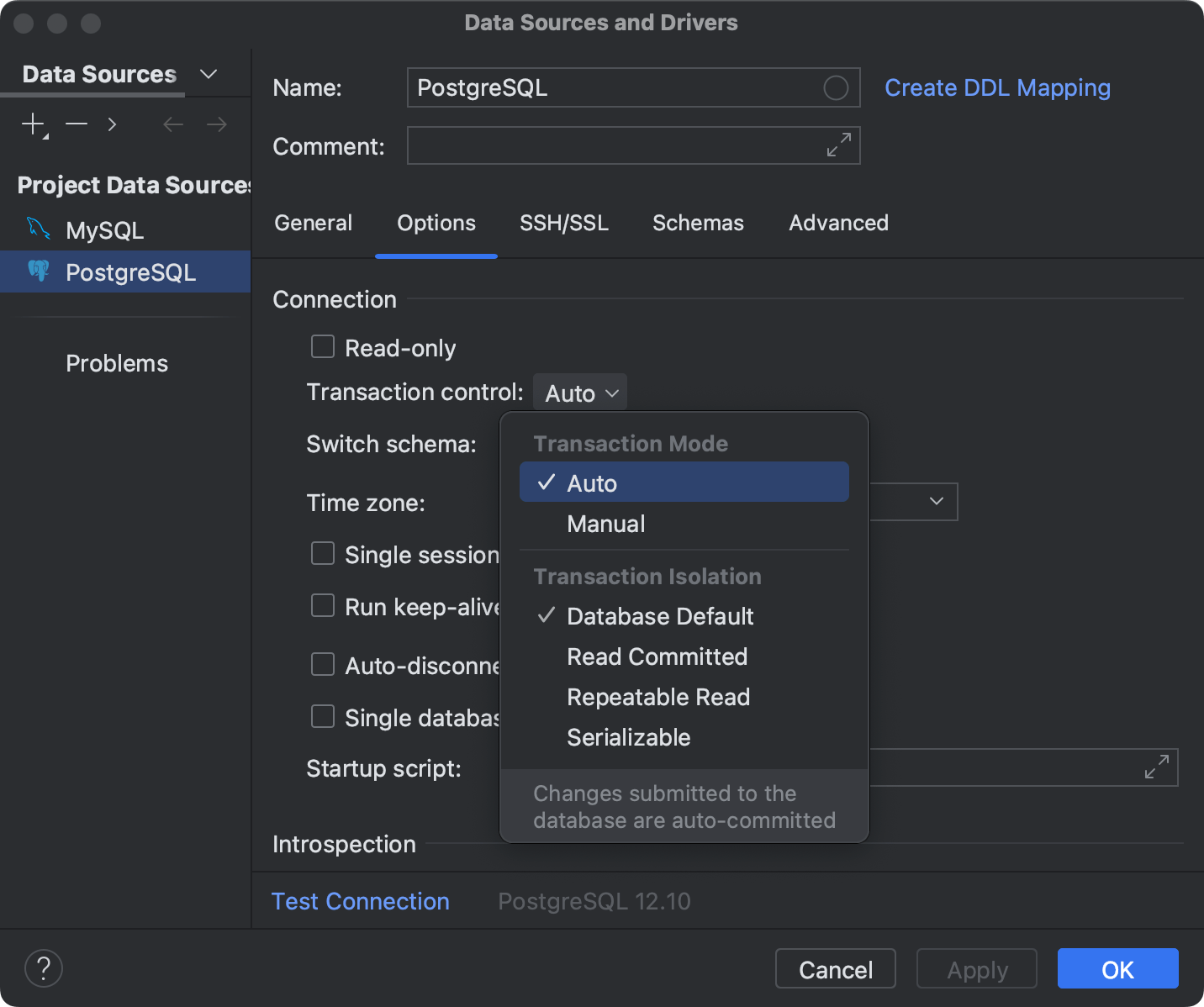
Transaction control
Choose between Auto mode, where queries are committed instantly without manual confirmation, and Manual mode, which gives you full control to explicitly commit or roll back changes.
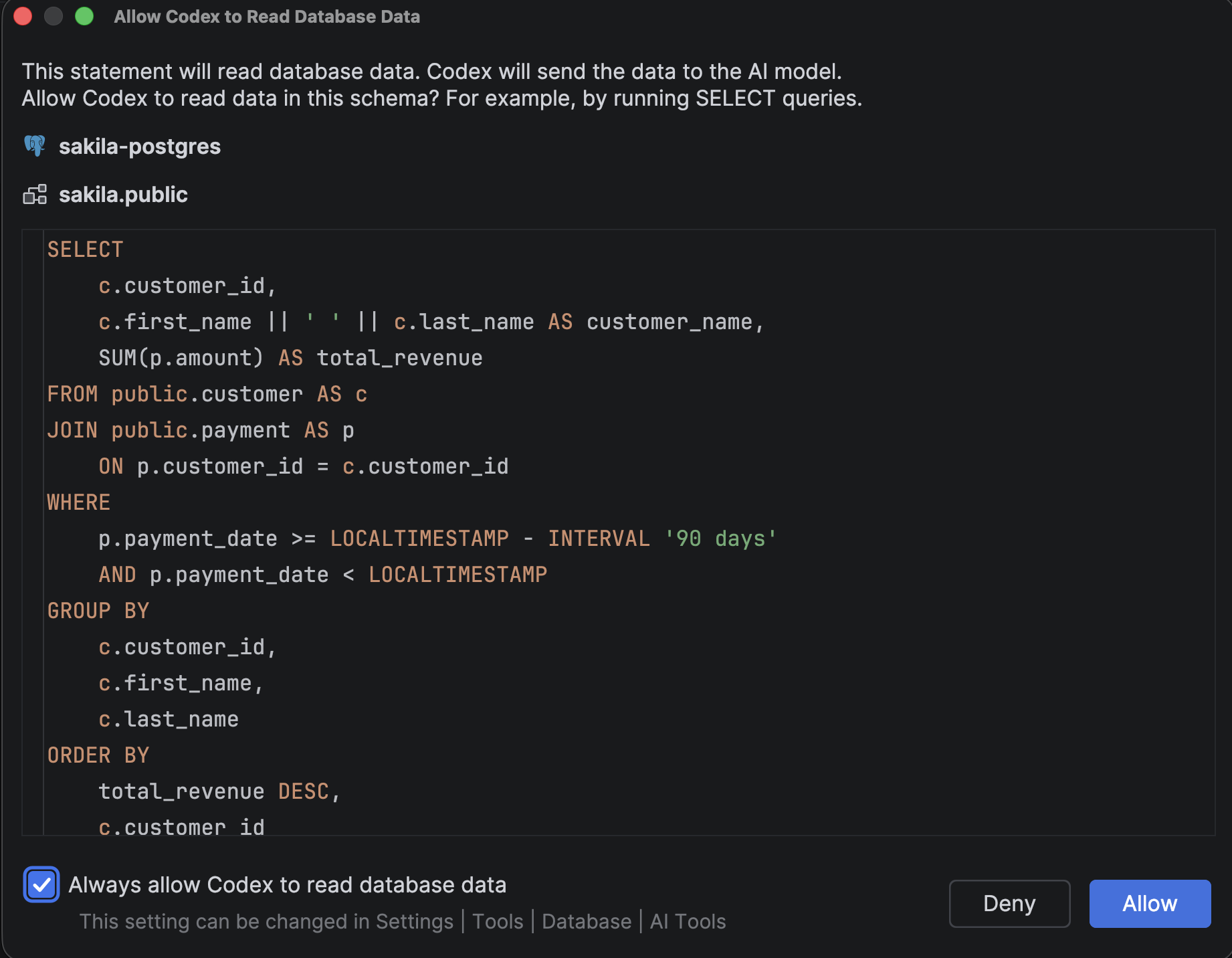
Security layer for AI
In DataGrip, AI agents can run queries and display data, but you define what’s allowed and what isn’t. Use the built-in security layer to protect your data by setting up permissions and restrictions for agents. Before the agent can read your schema or run any statement, it must explicitly request your permission, ensuring you retain complete control over all database interactions. You can then carefully review the AI-generated code and approve it on a case-by-case basis, or streamline the process by checking Always allow for safe, read-only operations.
Deep insights and flexible results
Explore, compare, and optimize queries, and visualize execution plans as tables or diagrams.
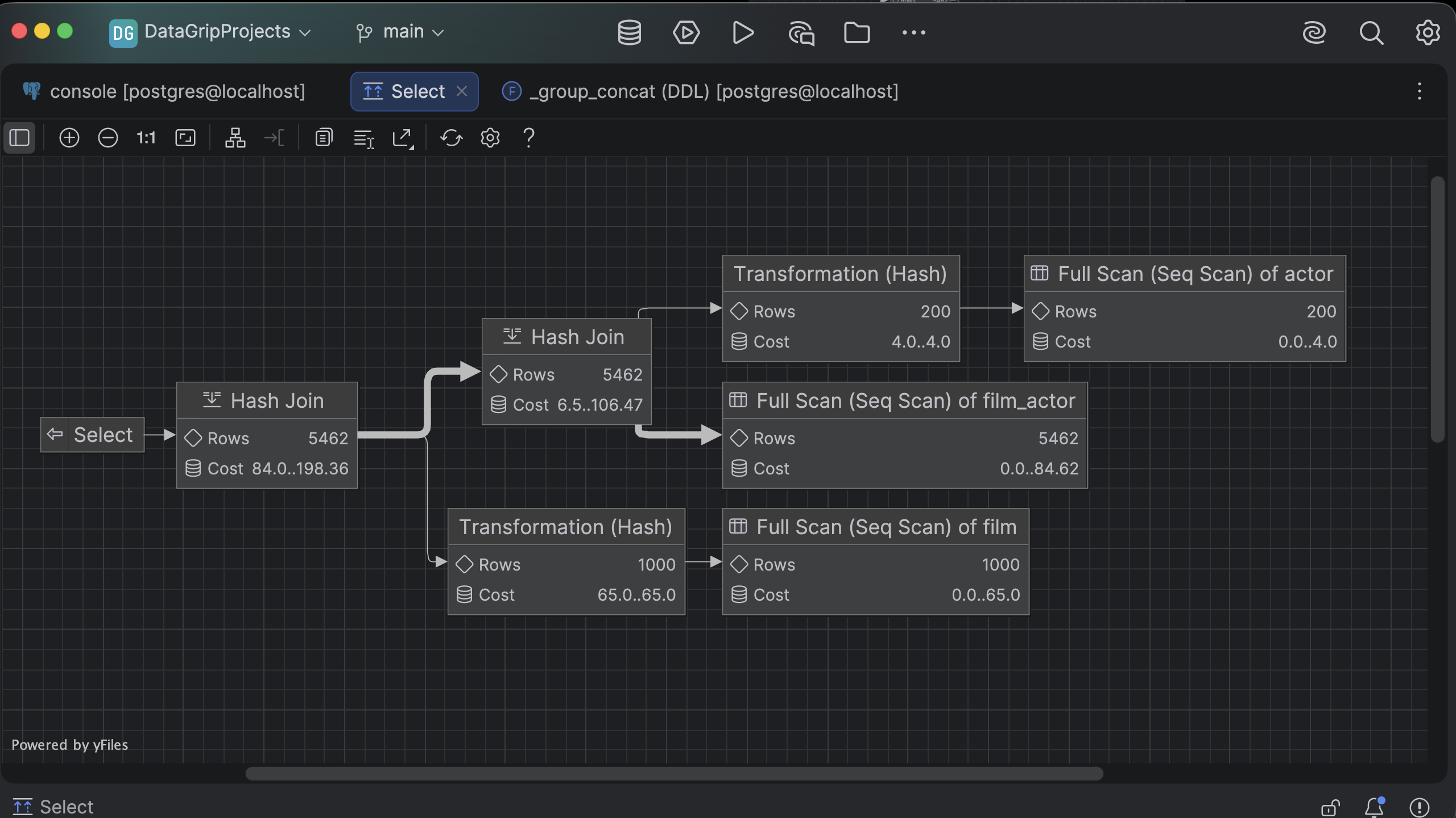
Execution plan analysis
Understand how your database executes queries. Execution plans break the process down step by step, revealing how the database fetches your data and helping you identify bottlenecks. View them as tables or diagrams – whichever works best for you.
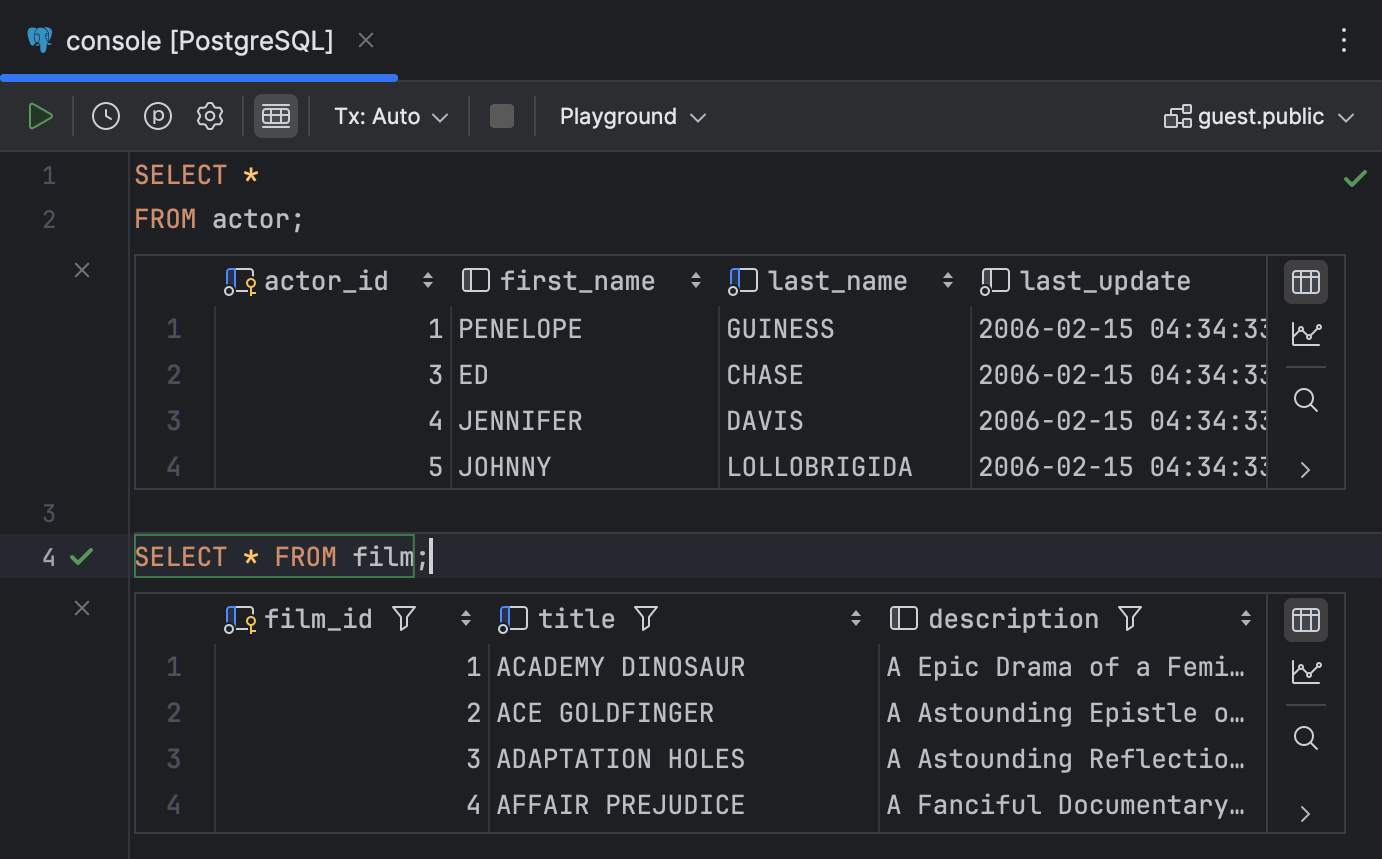
Jupyter-like console
DataGrip’s Jupyter-like console lets you run queries and view results directly below the code, making it easier to write, test, and iterate on your queries in a clear, organized flow.
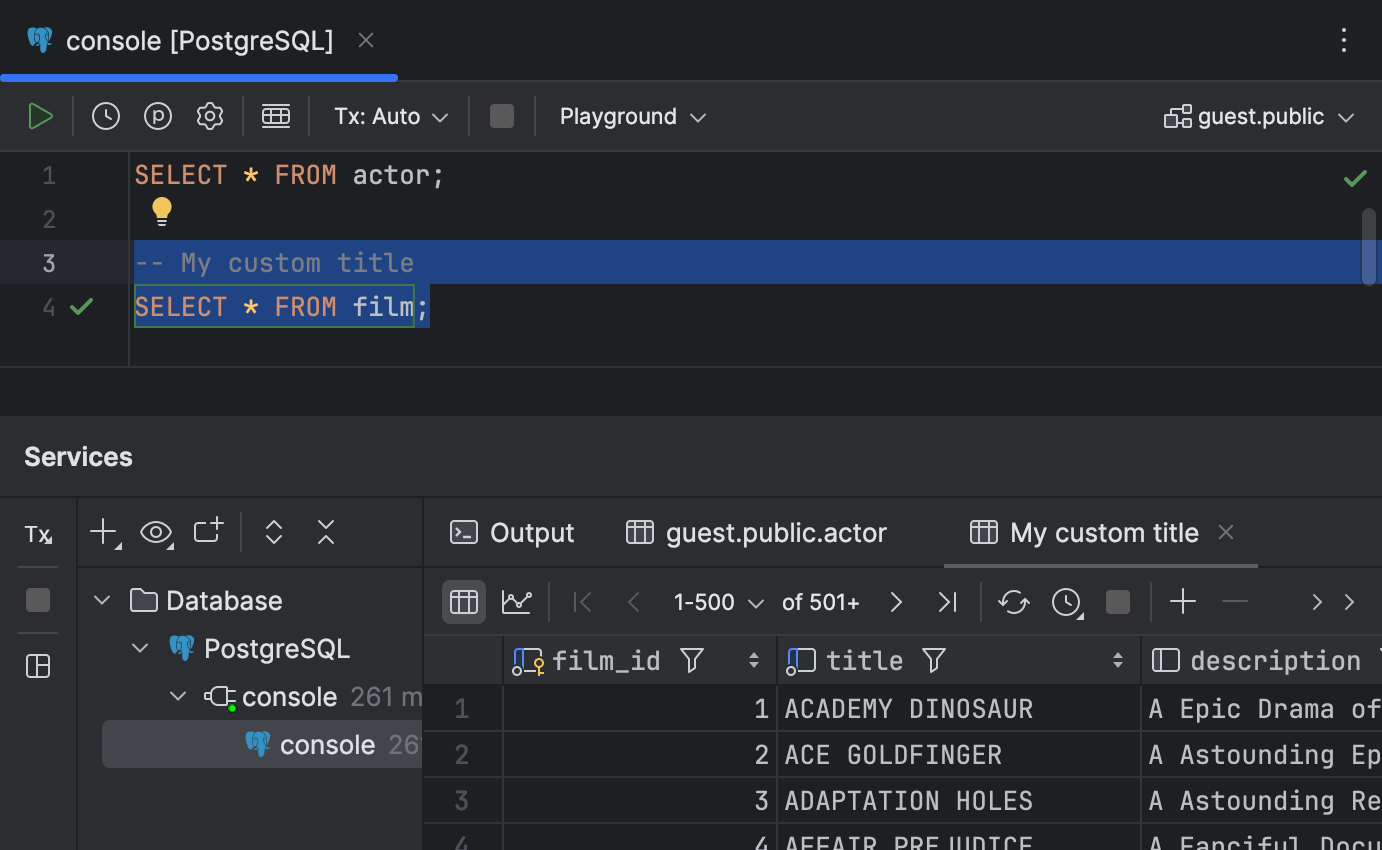
Query result naming
Add a comment before your query to name the result tab so your results stay organized and easy to navigate.
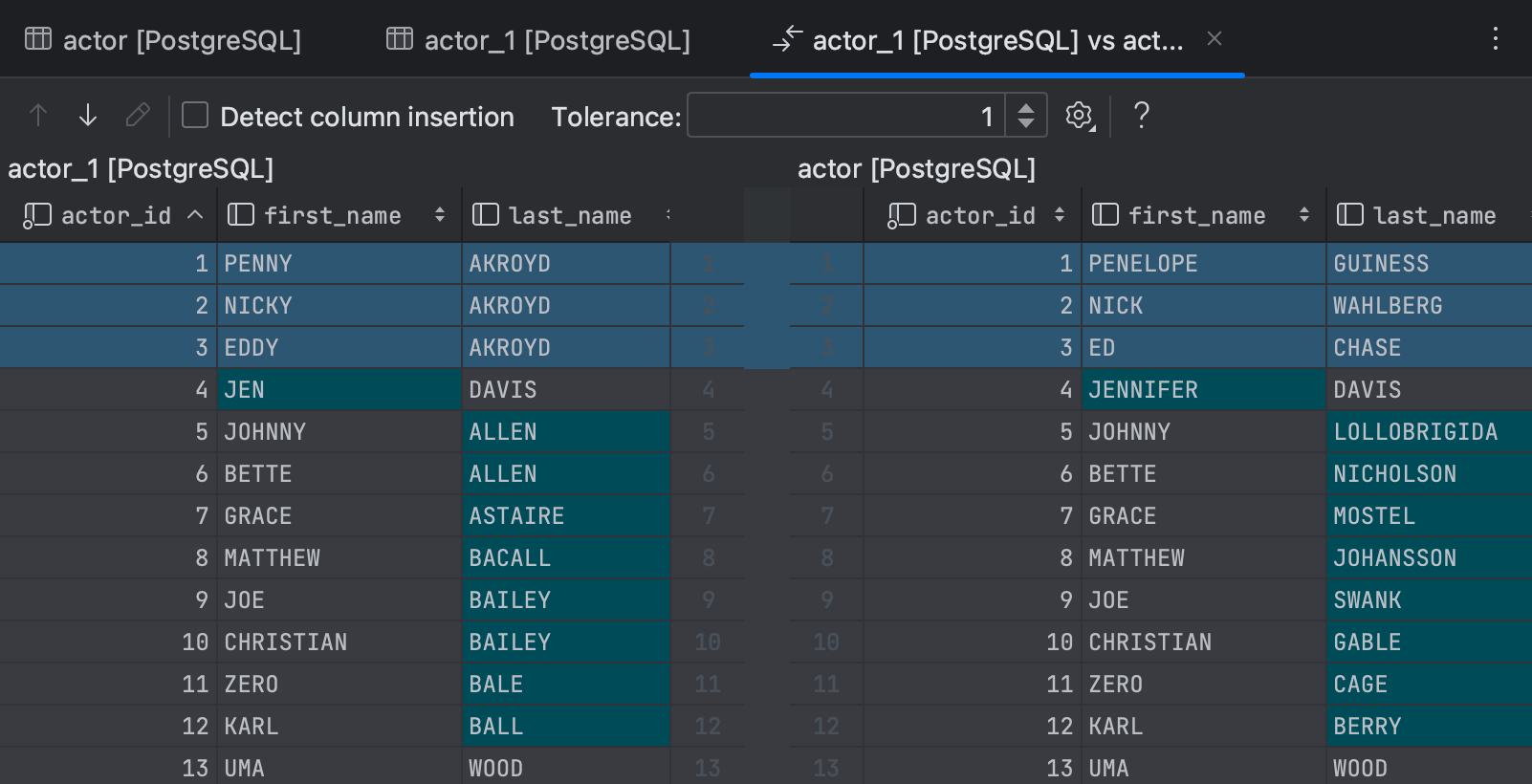
Result set comparisons
Compare two result sets side by side in the diff viewer. DataGrip highlights all differences and lets you fine-tune the comparison with the Tolerance setting. For example, you can treat rows as equal even if they differ in just one column, or even exclude specific columns from the comparison entirely.
History, logging, and recovery
DataGrip logs every query, maintains a complete query history for each console, and even provides a structure view for big scripts – making it easy to find, rerun, or edit any statement. Local History and full SQL logs let you audit and restore your entire SQL workflow.
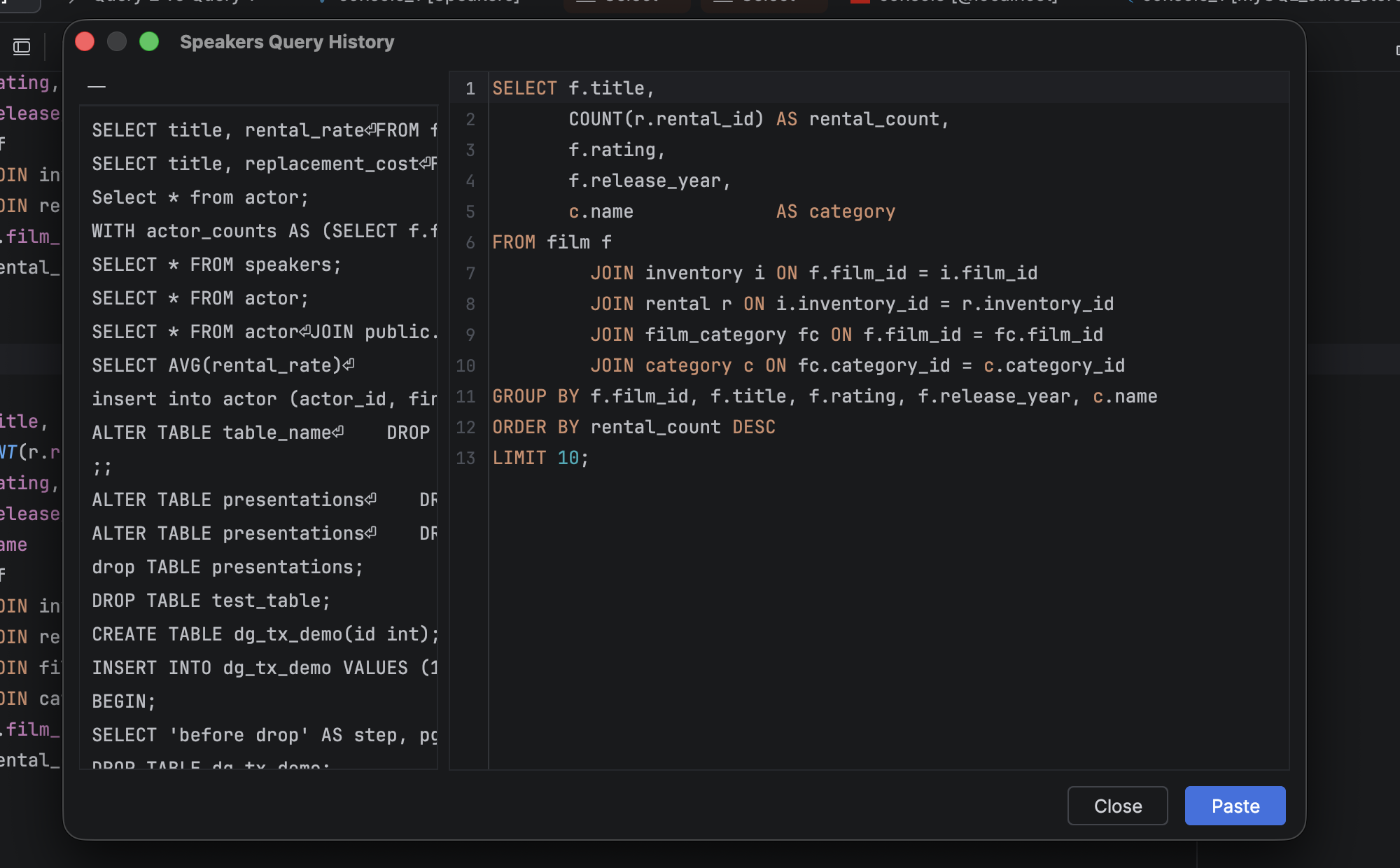
Query history
DataGrip keeps a complete history of all your executed queries. Quickly revisit, rerun, or edit past statements without having to save them manually.
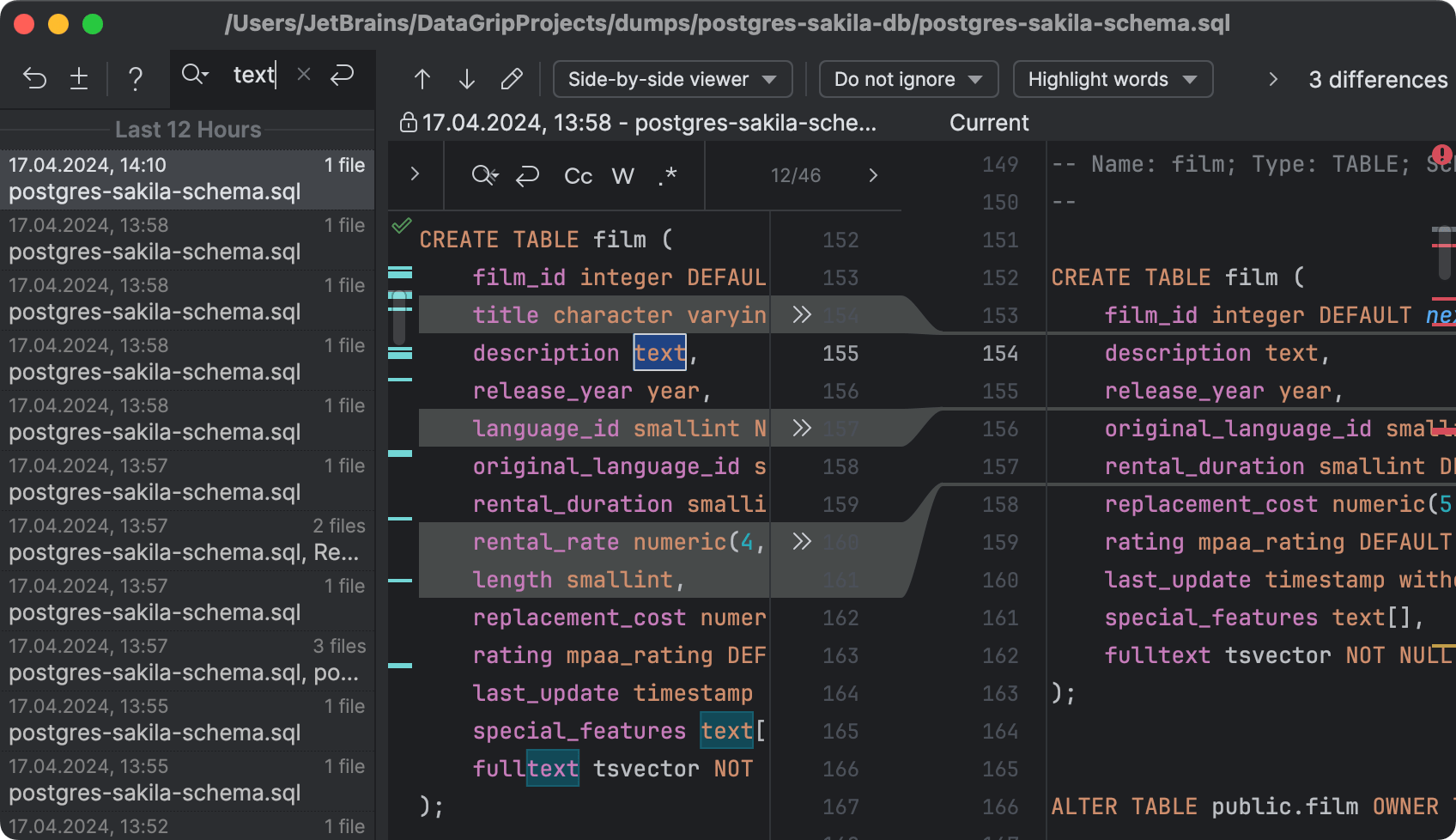
Local History
Each console or file features Local History, which tracks all changes to your source files, protecting you from accidental losses or modifications, even if they are made by other applications.
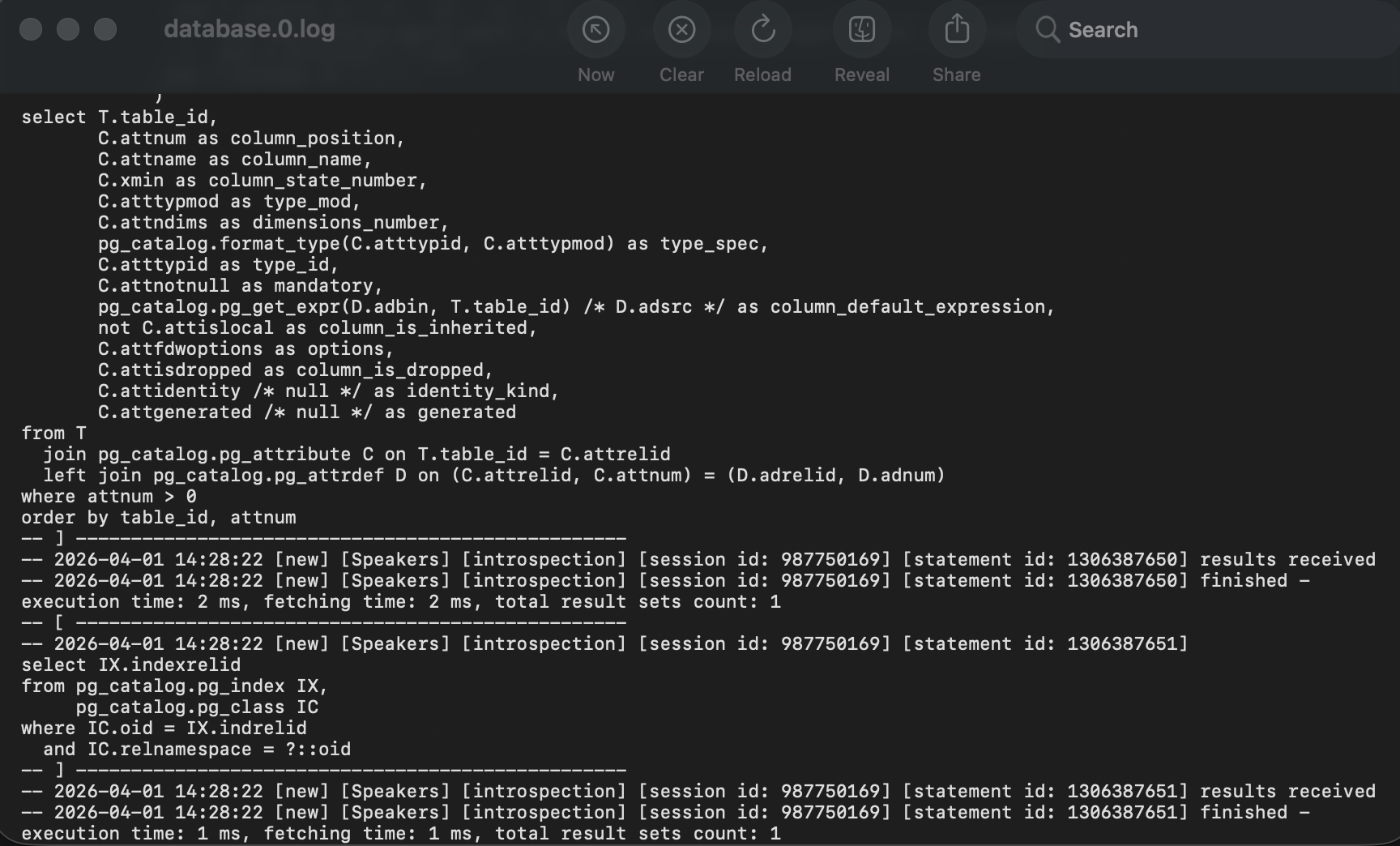
Full SQL log
Every query you run is automatically logged behind the scenes. Want to see the full history? Just go to Help | Show SQL Log and open the complete record in a text file – perfect for tracking, auditing, or revisiting your work.
